Tractionwave AI Review: Best Free AI Heatmap Tool for Ad Creatives (2026)
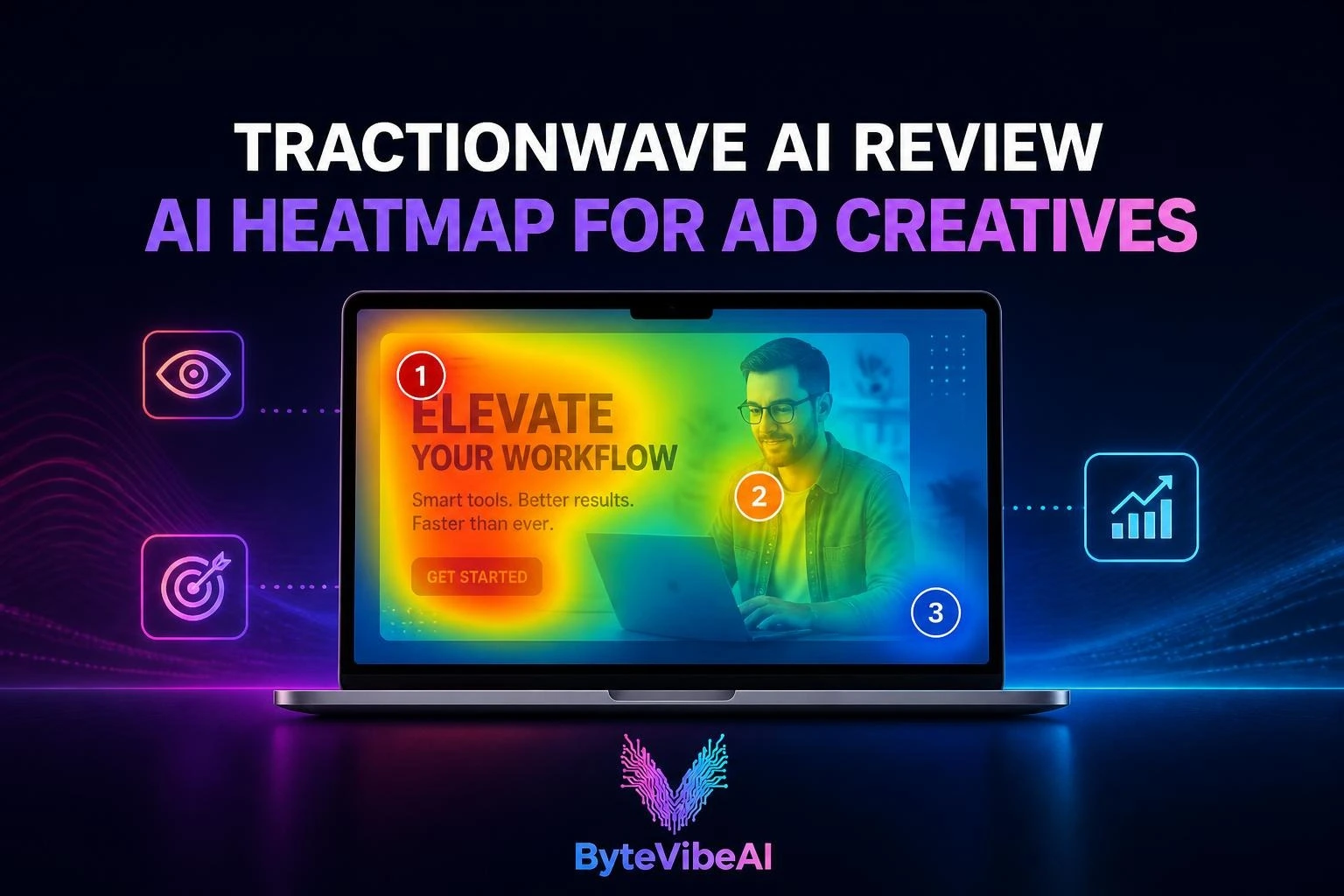
This Tractionwave AI Review covers a tool that pre-tests ad creatives with AI attention heatmaps, so you can catch a buried offer or a hidden call to action before it burns through your media budget.
Most ad money is wasted quietly. A banner goes live, the logo sits in a cold corner, the discount badge blends into the background, and nobody notices until the click-through rate comes back low and the budget is already spent.
Tractionwave predicts where viewers’ eyes will land on a static graphic or a video ad, and it returns a heatmap with ranked hotspots in seconds. It runs inside Canva, and the company says it also offers a Figma plugin and MCP support so AI assistants can call it directly.
One clarification about the title: Tractionwave is not free forever. It offers a free trial of two evaluations, then sells pay-as-you-go credit packs with no subscription. The pricing section below shows exactly what that costs.
How this review was put together: it draws on the information Tractionwave publishes about itself, public information on competing tools, and independent explainers on how attention heatmaps work. It is not based on hands-on testing, and any claim that comes from a vendor is labeled as the vendor’s claim. Features and prices can change, so confirm details on tractionwave.com before you buy credits.
What Is Tractionwave?
Tractionwave is an AI attention-prediction tool for ads and marketing visuals. You give it a creative, and it returns a heatmap showing where people are likely to look, plus a ranked list of hotspots. Its homepage tagline is about testing your ad creative before you spend the budget, which sums up the whole pitch.
How AI Attention Prediction Works
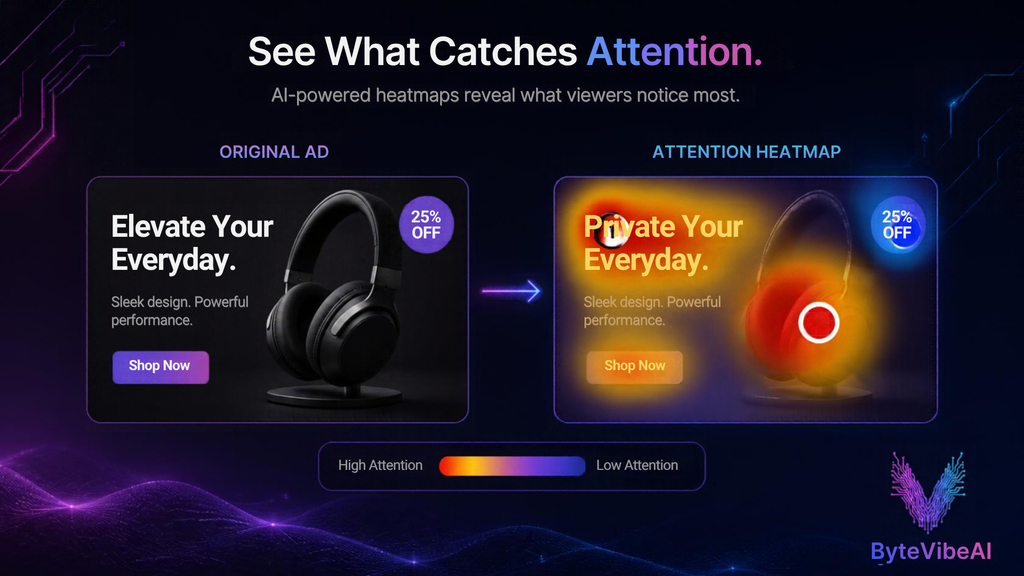
Tools like this rely on predictive eye-tracking. A model trained on eye-tracking data estimates which parts of an image draw the eye, based on color, contrast, size, faces, text, and layout. The output is a color overlay: warm colors such as red and orange mark high-attention zones, while cooler blues and greens mark areas people are likely to skip.
Because the model predicts instead of measuring, no panel of real viewers is needed and results arrive almost instantly. That speed is the main advantage over a traditional study, and it comes with trade-offs covered later in this review.
How Accurate Is It?
Vendors in this category often claim accuracy around 90 percent. Attention Insight, Clueify, and AdCreative.ai’s scoring tool all advertise figures in that range, and all of them are self-reported. No independent accuracy benchmark for Tractionwave turned up during the research for this review, so treat it as a fast directional check, not a measured guarantee.
How to Read an Attention Heatmap
A heatmap is only useful if you know which questions to ask it. Three checks cover most ad reviews.
- Is the brand cue in a warm zone? A logo in a cold corner is present but functionally invisible. If your brand needs to be recognized, it should sit where attention already goes.
- Do the offer and call to action sit near the heat? Illustrative example: a banner has a face on the left, a bold headline across the top, and a “20% off” badge in the bottom-right corner. If the heatmap shows strong heat on the face and headline but cold blue around the badge, the discount is effectively hidden. Moving it next to the headline is a five-minute fix, and it costs far less than finding out after launch.
- Is attention focused or scattered? A creative with four competing hot spots often leaves viewers unsure where to look. One clear dominant zone, followed by a second hotspot on the call to action, is usually a healthier pattern.
The same logic applies to video, with timing added. Illustrative example: if the logo first appears at second 12, check whether predicted attention at that moment is on the logo or on something else in the frame.
Tractionwave AI Review: Core Features Breakdown
Static Graphic Heatmaps
This is the core feature, and the one Tractionwave’s own site leads with. You submit an ad or marketing visual and get a heatmap and ranked hotspots in seconds.
The ranking is what makes it practical. A color overlay shows where heat is, while a ranked list tells you which element wins attention first, second, and third. That makes comparing two versions of the same creative much easier than eyeballing two overlays side by side.
It suits social ads, display banners, product images, promo graphics, and thumbnails. If you are exploring visual creation options, check out our guide to the 5 Best Free AI Image Generators For Blog Visuals (No Copyright).
Video Ad Timeline Heatmaps
According to Tractionwave, its video analysis works second by second, showing when the logo, the offer, and the call to action receive attention. This is what separates a video-capable tool from a static-only one. A video ad is a sequence, and the order and timing of its elements often decide whether the message lands.
Practical uses include checking that the brand appears while attention is still high, that the offer is visible when viewers are most engaged, and that the closing call to action isn’t buried under busy visuals. As with static images, these are predictions, not measured viewing data. To create clips to test, explore the 5 Best Free AI Video Generators For TikTok & Instagram Reels.
Figma and Canva Native Panels
Tractionwave’s homepage says it works right inside Canva, and the company also lists a Figma plugin. The practical benefit is workflow. You run the check where the design already lives, without exporting a file, uploading it elsewhere, and importing the revised version back.
For small teams that edit ads in Canva and for designers who work in Figma, that removes the friction that usually makes people skip pre-testing. Learn more about workflow shortcuts in our round-up of the Best Free AI Tools For Graphic Design To Create Logos And Social Media Posts.
MCP Server AI Agent Integration
MCP, short for Model Context Protocol, is a standard that lets AI assistants connect to outside tools. Tractionwave lists MCP server support for Claude, Cursor, and VS Code. In practice, that means an assistant could request attention checks as part of a larger task, such as reviewing a folder of ad variants and summarizing which ones put the call to action in a high-attention zone.
This is the most technical feature on the list, and it is mainly interesting for agencies and developers building automated creative workflows. How MCP requests use credits couldn’t be confirmed, so check before running large batches.
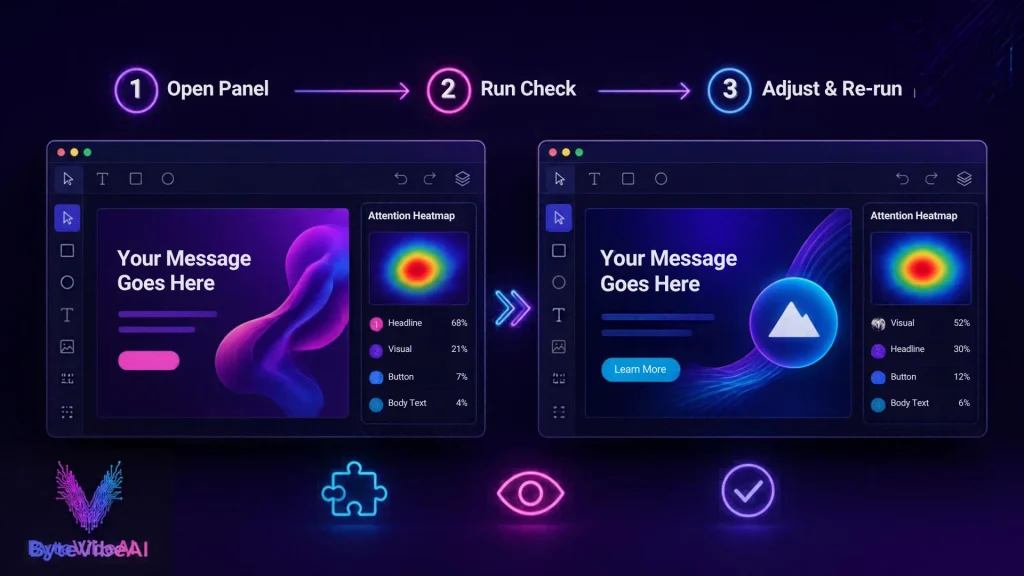
How to Run an Attention Check in Figma and Canva (Step by Step)
The steps below describe the general workflow. Exact menu names and screens may differ from what you see, so follow the prompts inside the Tractionwave interface.
In Figma
- Open your ad design and size the frame to the final format, so the check reflects what viewers will actually see.
- Open Tractionwave from the Plugins menu and sign in.
- Select the frame and run the attention check.
- Read the heatmap and ranked hotspots, and compare them with the elements that must be seen: logo, offer, and call to action.
- Adjust size, contrast, or position, then run the check again on the revised version.
In Canva
- Open your design in Canva.
- Find Tractionwave in the Apps panel and open it.
- Run the check on the current page.
- Review the results, make your edits, and re-run.
Tips for Getting More From Each Check
- Change one or two things at a time so you know what moved the heat.
- Make several meaningful edits before re-running, since each paid check uses credits.
- Compare two or three variants side by side instead of judging a single run.
- Use the first free evaluation, which needs no account and is watermarked, on a quick test image. Save the watermark-free account evaluation for a creative you actually need to share.
- If you edit videos before pre-testing, review the Top 5 Free AI Video Editing Tools For Beginners And Content Creators.
Tractionwave vs Eye-Tracking Studies vs Competitors
These tools don’t all do the same job. Tractionwave and Attention Insight predict attention. AdCreative.ai mainly generates ads and scores their likely performance. Traditional eye-tracking measures real gaze. The cards below are built to read cleanly on a phone.
Quick take: choose Tractionwave if you want per-use pricing and checks inside Canva or Figma. Choose Attention Insight if you test heavily and prefer a flat subscription. Choose AdCreative.ai if you also need ads generated for you. Keep real eye-tracking for campaigns where being wrong is expensive.
Tractionwave AI Review: Pricing Breakdown and Value Analysis
According to the pricing details provided for this review, Tractionwave uses pay-as-you-go credit packs with no subscription, and credits never expire.
- 🆓 Free trial: $0 (2 free evaluations in total: 1 without an account, with a watermark; 1 with an account, watermark-free)
- 🛒 Entry pack: $18 for 10 credits (About $1.80 per credit)
- 📦 Largest pack: $185 for 400 credits (About $0.46 per credit, roughly 74 percent cheaper per credit than the entry pack)
- ♾️ Credits never expire: Buy when you need them and use them whenever you like
Tractionwave’s pricing runs from the $18 pack up to the $185 pack, so check its pricing page for the exact sizes in between.
Value Analysis
The key unknown is how many credits a single check uses. A static check and a video check may cost different amounts, so confirm this before you plan a budget. If one static check uses one credit, the effective cost runs from about $1.80 per check at the entry pack down to about $0.46 at the largest pack.
Illustrative example: a store owner who tests 10 creatives in a busy month would spend roughly $18 on the entry pack, or about $4.63 at the largest pack’s rate, assuming one credit per check.
That structure fits irregular users well. Seasonal e-commerce sellers, freelancers, and agencies that run campaigns in bursts don’t pay for the quiet months, and unused credits stay available. Heavy daily testers should do the math against a flat subscription, since every iteration costs credits.
The weak spot is the trial. Two free evaluations is enough to judge the interface and one real creative, but not enough to judge long-term usefulness. The low $18 entry point reduces that risk.

Tractionwave AI Review: Pros and Cons
Pros
- Pay-as-you-go pricing with no subscription, and credits that never expire
- Fast results: heatmap and ranked hotspots in seconds
- Works where designers already work, including Canva and, per the company, Figma
- Second-by-second video analysis for checking when logo, offer, and call to action get attention
- MCP support for AI agent workflows
- Low-risk entry with two free evaluations and an $18 starter pack
Cons
- Not free beyond the two trial evaluations
- No independent accuracy data or third-party reviews turned up during research
- Credits per check aren’t confirmed, and video checks may cost more
- Predicts where eyes go, not whether the ad persuades
- The no-account trial result is watermarked, so it can’t go into a client deck
- Little public information about the company, so weigh vendor risk before buying large packs
Who Should Use Tractionwave?
- Performance marketers and media buyers can test variants before launch and avoid paying to learn that a call to action was invisible.
- Agencies get quick visuals for client decks, and because credits never expire, they can buy ahead without a monthly commitment.
- E-commerce store owners can check product images, banners, and promo graphics. Occasional testing fits the pay-as-you-go model well. Pair it with strong ad copy from our guide to Top 5 Free AI Tools For Social Media Copy To Write High-Converting Posts Fast (2026).
- UI/UX designers can check hero sections and landing screens inside their design tool.
Who should skip it: teams that need real-viewer data, teams testing hundreds of creatives every day, and anyone looking for click or scroll heatmaps of a live website. That is a different category, handled by behavior-analytics tools such as Hotjar.
What Attention Heatmaps Can’t Tell You
An independent explainer from Saliency Lab makes a point worth repeating. A heatmap predicts where attention lands, not why. It also sees your creative in isolation, not inside a crowded feed. A creative can score well on predicted attention and still fail, because attention was never the real problem.
Use Tractionwave, or any tool like it, as a pre-flight filter. It helps you remove obvious problems cheaply. Real A/B tests on live traffic should still decide what gets scaled.
Frequently Asked Questions
Is Tractionwave free?
Only for a trial. You get two free evaluations, one without an account (watermarked) and one with an account (watermark-free). After that, Tractionwave sells pay-as-you-go credit packs with no subscription.
Do Tractionwave credits expire?
According to the pricing details provided, no. Credits never expire, which suits irregular testing schedules.
Does Tractionwave work with Canva and Figma?
Its homepage highlights Canva, and the company also lists a Figma plugin. It further lists MCP server support for Claude, Cursor, and VS Code.
Can an AI heatmap replace A/B testing?
No. It filters out weak creatives before you spend, but live A/B tests show how real audiences respond.
How is Tractionwave different from AdCreative.ai?
Tractionwave predicts where attention lands on a creative you already have. AdCreative.ai generates ads and scores their likely performance, and it isn’t built around attention heatmaps.
Final Verdict: Is Tractionwave Worth It?
The bottom line of this Tractionwave AI Review is that the tool is a low-risk way to add a pre-launch attention check to your ad process. The pricing is flexible, the results are fast, and working inside Canva or Figma means the check fits into steps you already take.
The unknowns are just as clear. There is no independent accuracy data, the credit cost per check isn’t confirmed, and the “free” in the title covers only two evaluations. Whether it earns the label “best” depends on how often you test.
A practical path is to spend the two free evaluations on a real creative, then buy the $18 pack only if the heatmap changes a decision you would otherwise have made blind. If it does, scale up to a bigger pack. If it doesn’t, you’ve lost almost nothing.
Call To Action
Ready to test your next ad before you spend on it? Explore more AI Design guides on ByteVibeAI to discover beginner-friendly tutorials, free AI tools, and practical tips for creating standout visuals.