
5 AI-Powered Project Management Tools to Double Your Daily Output (2026)
Managing multiple projects can quickly become stressful. Between deadlines, meetings, client requests, and daily tasks, it’s easy to lose track of what needs attention first.
That’s why many freelancers, remote workers, business owners, and students are now using AI-Powered Project Management Tools to stay organized and work more efficiently. These tools can help prioritize tasks, organize projects, automate repetitive work, and improve team collaboration without adding extra complexity.
Whether you’re managing personal goals or leading a large team, choosing the right AI-Powered Project Management Tools can help you save time and focus on the work that matters most.
Why AI-Powered Project Management Tools Are Worth Using
Traditional to-do lists are helpful, but they often require constant manual updates. Modern AI-Powered Project Management Tools go much further by helping users organize work automatically and make better decisions throughout the day.
Instead of spending time updating project boards, you can focus on completing important tasks while AI assists with planning and organization.
Some of the biggest benefits include:
- Organizing projects in one place
- Prioritizing important tasks
- Improving team collaboration
- Tracking project progress
- Automating repetitive workflows
- Saving time every day
These tools don’t replace good project management skills. They simply make staying organized much easier.
Quick Overview of the 5 AI-Powered Project Management Tools
In this guide, we’ll review five beginner-friendly AI-Powered Project Management Tools that offer useful features for students, freelancers, remote workers, startups, and business teams.
📋 ClickUp AI
Best For: Project planning and team collaboration.
Free Plan: ✅ Available
📝 Notion AI
Best For: Notes, documentation, and project organization.
Free Plan: ✅ Available
📌 Trello + AI
Best For: Visual task management.
Free Plan: ✅ Available
✅ Asana AI
Best For: Team workflow management.
Free Plan: ✅ Available
⚡ Motion AI
Best For: Smart scheduling and automatic task planning.
Free Plan: Limited
How We Selected These Project Management Tools
There are many project management platforms available today, but not every tool is suitable for beginners or small teams.
For this guide, we selected AI-Powered Project Management Tools that are easy to use, offer valuable free features, and genuinely help users stay productive.
Each tool was evaluated based on:
- Ease of use
- Free plan availability
- AI-powered productivity features
- Task management capabilities
- Team collaboration tools
- Overall user experience
Whether you’re managing personal projects, client work, or business operations, these tools can help you stay organized and complete more work with less effort.
1. ClickUp AI
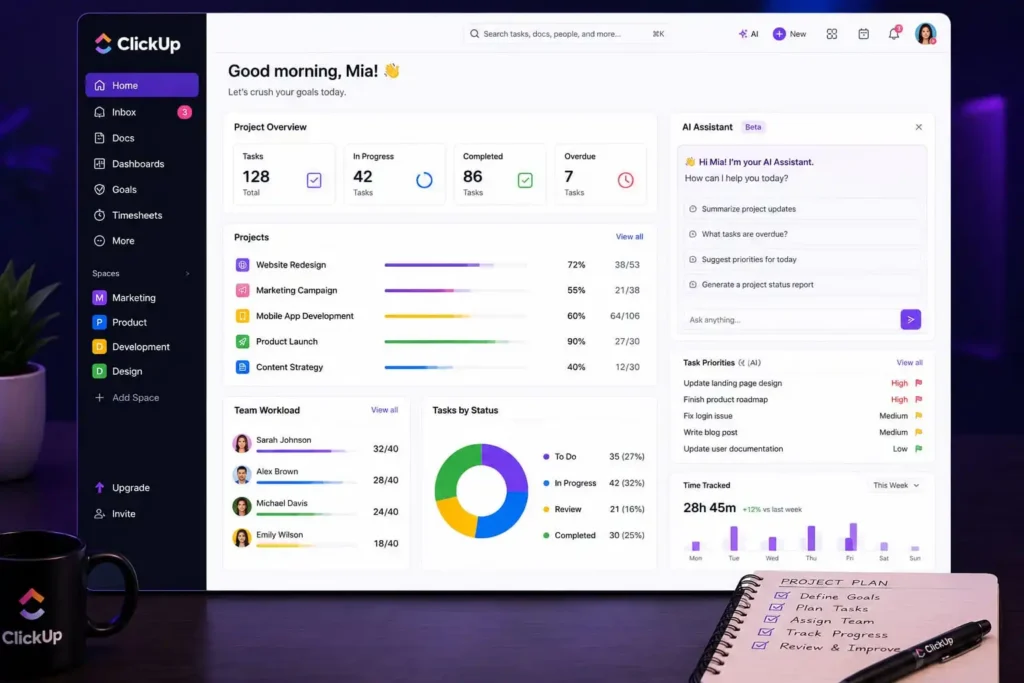
When people search for the best AI-Powered Project Management Tools, ClickUp AI is often one of the first recommendations. It combines task management, documents, team communication, goal tracking, and AI assistance into one platform.
Instead of switching between multiple apps, you can organize projects, assign tasks, create documents, and monitor progress from a single dashboard.
Key Features
- AI writing assistant
- Task management
- Project dashboards
- Goal tracking
- Team collaboration
- Time tracking
Pros
- Free plan available
- Beginner-friendly interface
- Powerful collaboration tools
- Suitable for teams of all sizes
Cons
- Large number of features may feel overwhelming at first
- Some AI features require a paid plan
Best For
Freelancers, startups, remote teams, and businesses.
2. Notion AI
Notion AI is more than a note-taking app. It helps teams organize projects, manage documentation, create workflows, and keep important information in one place.
For small teams and freelancers, it’s one of the most flexible AI-Powered Project Management Tools available today.
Key Features
- AI writing assistance
- Project documentation
- Task tracking
- Knowledge base
- Team collaboration
Pros
- Clean workspace
- Easy customization
- Free plan available
- Excellent project organization
Cons
- Learning curve for beginners
- Some AI features are limited on the free plan
Best For
Freelancers, students, startups, and remote workers.
3. Trello + AI
Trello is known for its simple Kanban boards that make project tracking easy. With AI-powered features, users can organize tasks faster, automate workflows, and receive smart suggestions while managing projects.
It’s one of the easiest AI-Powered Project Management Tools for beginners.
Key Features
- Drag-and-drop task boards
- AI automation
- Workflow templates
- Task reminders
- Team collaboration
Pros
- Very easy to learn
- Free plan available
- Clean visual interface
- Fast project setup
Cons
- Limited advanced reporting
- Better suited for small and medium projects
Best For
Small businesses, freelancers, and students.
4. Asana AI
Asana helps teams manage projects from planning to completion. AI features simplify task creation, prioritize workloads, and improve collaboration across departments.
Among modern AI-Powered Project Management Tools, Asana is a reliable choice for businesses managing multiple projects at once.
Key Features
- AI task suggestions
- Timeline planning
- Workflow automation
- Progress tracking
- Team communication
Pros
- Excellent collaboration tools
- User-friendly interface
- Strong project tracking
- Free plan available
Cons
- Advanced AI features require premium plans
- Large projects may require additional setup
Best For
Growing businesses, agencies, and project managers.
5. Motion AI
Motion AI focuses on smart scheduling. Instead of manually planning your day, it automatically organizes meetings, deadlines, and daily tasks based on your availability.
For busy professionals, it’s one of the most practical AI-Powered Project Management Tools for improving daily productivity.
Key Features
- AI scheduling
- Automatic calendar planning
- Smart task prioritization
- Deadline management
- Productivity tracking
Pros
- Saves planning time
- Easy daily scheduling
- Reduces missed deadlines
- Clean interface
Cons
- Limited free plan
- Works best when connected to your calendar
Best For
Busy professionals, executives, freelancers, and remote workers.
Tips for Getting the Most Out of AI-Powered Project Management Tools
Using AI-Powered Project Management Tools effectively isn’t only about choosing the right platform. Building good project habits will help you get even better results.
- Keep all project information in one workspace.
- Break large projects into smaller tasks.
- Set realistic deadlines for every task.
- Review project progress at least once a week.
- Use AI suggestions to save time, but always review important decisions.
- Keep team communication clear and organized.
Common Mistakes to Avoid When Using AI-Powered Project Management Tools
The best AI-Powered Project Management Tools can improve productivity, but only if they’re used properly. Many people install these tools expecting instant results without changing the way they manage their work.
Here are a few common mistakes to avoid.
1. Managing Too Many Projects at Once
Trying to work on several projects simultaneously often reduces focus and slows progress.
Prioritize the most important tasks first and complete them before moving to the next project.
2. Ignoring Task Priorities
Adding every task to your project board without assigning priorities creates confusion.
Use priority levels so your team always knows what needs immediate attention.
3. Never Updating Project Progress
Even the smartest AI-Powered Project Management Tools need accurate information.
Update completed tasks regularly so project timelines remain reliable.
4. Depending Only on Automation
Automation saves time, but it shouldn’t replace communication or planning.
Always review AI suggestions before making important project decisions.
5. Poor Team Communication
A project management tool cannot solve communication problems by itself.
Keep project discussions, deadlines, and responsibilities clear so everyone stays on the same page.
Frequently Asked Questions
1. What are AI-Powered Project Management Tools?
AI-Powered Project Management Tools help users organize tasks, manage projects, automate routine work, and improve collaboration using artificial intelligence.
2. Which AI Project Management Tool is best for beginners?
ClickUp AI and Trello are excellent choices because they offer simple interfaces, free plans, and useful productivity features.
3. Can students use AI Project Management Tools?
Yes. Students can use these tools to organize assignments, manage study schedules, track deadlines, and plan group projects more efficiently.
4. Are free AI Project Management Tools enough?
Yes. Most freelancers, students, and small teams can manage their daily work effectively using the free versions of these platforms.
5. Can AI completely manage my projects?
No. AI helps with organization, planning, and automation, but successful project management still depends on good communication, decision-making, and regular progress reviews.
Final Thoughts
The right AI-Powered Project Management Tools can help you stay organized, reduce manual work, and complete projects more efficiently. Whether you’re managing personal goals, client work, or business operations, these platforms provide practical features that make planning and collaboration much easier.
Start with one tool that matches your workflow and use it consistently. As your projects grow, you’ll better understand which features save you the most time. Combined with good planning and clear communication, these tools can help you increase productivity without making your work more complicated.
You May Also Like
👉 Top 5 Free AI Tools for Remote Workers to Automate Daily Tasks
👉 How to Use AI Note-Taking Apps to Organize Your Work and Study Life
👉 Best Free AI Email Generators to Write Professional Work Emails in Seconds
Visit ByteVibeAI for practical AI guides, honest tool reviews, and beginner-friendly tutorials designed to help students, freelancers, professionals, and business owners become more productive every day.


One Comment