How to Fix AI Detection False Positives: 4-Step Guide (2026)
You write an article yourself. Every sentence is yours. Then you paste it into an AI detector and it says “85% AI-generated.”
That feels unfair, and it happens more often than most people think. Detectors can’t see who typed the words. They guess from patterns, and some human writing fits those patterns by accident.
This guide shows why it happens and how to fix AI detection false positives in four simple steps, with two free prompts you can copy.
Quick Answer: Detectors flag text that is too predictable and too even. To fix it, vary your sentence length, cut stiff transitions, add your own specific details, and re-scan a longer section instead of two lines.
Pro Tip: Want to check your text safely before you submit it? Read our guide on how to use AI content checkers safely.
What Is an AI Detection False Positive?
A false positive happens when a detector marks text you wrote yourself as AI-generated.
The score is a probability, not proof. A detector says “this looks like AI,” not “AI wrote this.” Studies also show that non-native English writers get flagged far more often than others. You can read the research in this Stanford study on detector bias, and Originality.ai explains what counts as a real false positive.
Why AI Detectors Flag Human Writing
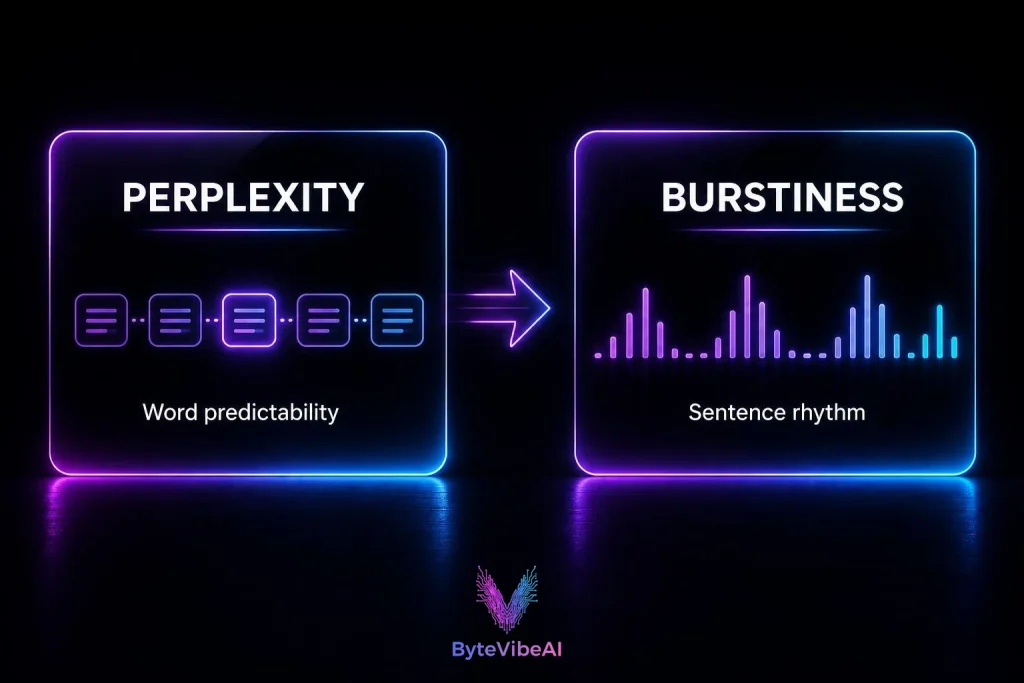
Most detectors look at two things:
- Perplexity is how predictable your word choices are. AI models pick the most likely next word. If you use common phrases and standard wording, your text looks predictable.
- Burstiness is how much your sentence length changes. People write a short sentence, then a long one. AI tends to keep sentences about the same size.
Some kinds of human writing trigger this more than others:
- Formal or academic writing
- Non-native English with standard phrasing
- Technical guides with repeated terms
- Paragraphs that all start with “Furthermore” or “Moreover”
- Very short samples, which don’t give the detector enough to judge
- Text where you accepted every grammar-tool suggestion
Popular AI Detectors at a Glance
| Detector | Mostly used by | Good to know |
|---|---|---|
| Originality.ai | SEO agencies and publishers | Gives a probability score for web content |
| Turnitin | Schools and universities | Used for student work, so scores can affect grades |
| GPTZero | Teachers and individual writers | Shows sentence-level highlights |
| Copyleaks | Businesses and HR teams | Often used in company content checks |
Note: Ask which tool your client or teacher uses, then test with that one.
Quick Overview of the 4 Fixes
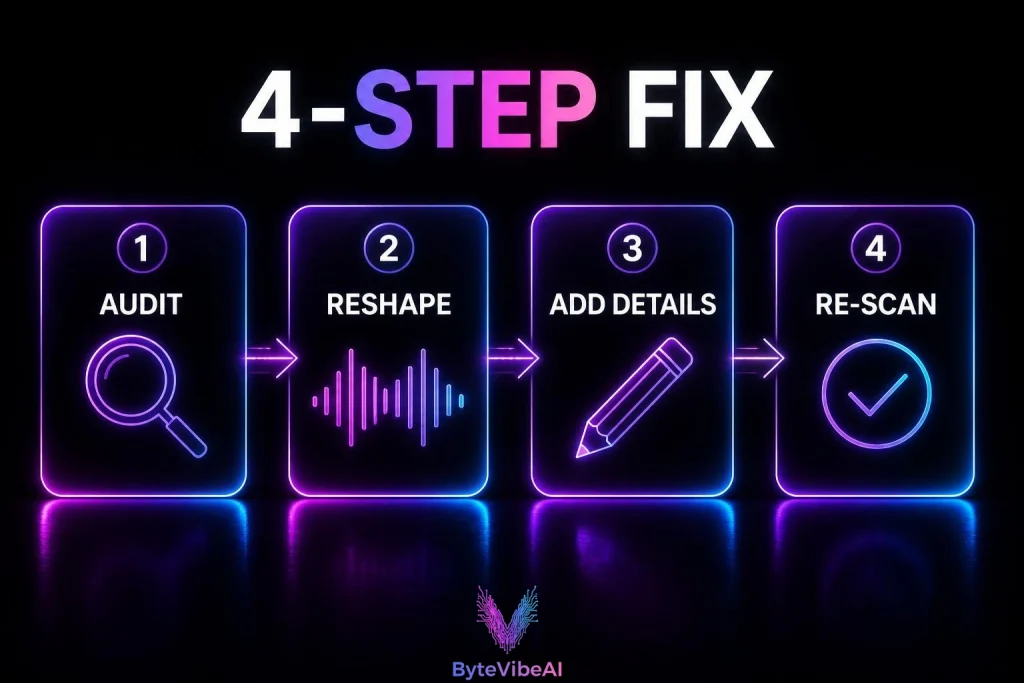
Here are the four steps to fix AI detection false positives at a glance.
- 🔍 Step 1: Audit. Find stiff phrases and even sentences.
- ✂️ Step 2: Reshape. Mix short and long sentences.
- 🧑 Step 3: Add yourself. Put in real details only you know.
- ✅ Step 4: Re-scan. Test a longer section, not one paragraph.
Step 1: Audit the Flagged Sections
To fix AI detection false positives, start with the parts the detector highlighted.. Look for openings and phrases that sound like a brochure:
- “In today’s fast-paced digital world…”
- “Furthermore,” “Moreover,” “In conclusion”
- “It is important to remember that…”
- “Delve into,” “a testament to,” “a game-changer”
Swap them for plain speech. Instead of “Furthermore, it is necessary to consider the technical implications,” write “On top of that, you have to think about the trade-offs.”
Step 2: Reshape Your Sentence Rhythm
Never write three sentences of the same length in a row. Here is a simple example:
- Before: Content optimization is important for search visibility. Writers should provide valuable information to readers. Strong editorial standards support long-term success.
- After: Optimization matters. But if your writing reads like a manual written by a committee, people leave in seconds. Keep points short, then explain the ones that need it.
Same message, different rhythm.
If the draft is old and stiff, you can rewrite old articles with AI and still keep your own voice.
Free Prompt 1: Rhythm Fixer
You are a careful copy editor. Rewrite the text below so the sentence lengths vary: mix short sentences (3 to 6 words) with longer ones. Replace stiff transitions like "Furthermore" with natural ones. Keep every fact exactly as it is. Do not add new claims.

Text:
[paste your flagged text here]
Free Prompt 2: Voice Fixer
Rewrite the text below in a plain, friendly tone, like an experienced person giving practical advice. Remove filler phrases and corporate jargon. Keep all facts unchanged.

Text:
[paste your flagged text here]
Use these prompts on text you wrote yourself. Always read the result and fix anything that no longer sounds like you.
Step 3: Add Details Only You Know
This step makes the biggest difference, because a model can’t invent your real experience.
- Add a specific example: What you tried, what happened, and what surprised you.
- Add your opinion, including a downside: AI text often stays neutral.
- Add a screenshot or a number from your own work: And mention it in the text.
If you want a tool to polish the final wording, compare these free AI humanizer tools and these AI content editing tools.
Step 4: Re-Scan the Right Way
- Scan a full section: A few hundred words give a fairer result than two sentences.
- Use two different detectors: If they disagree, the score isn’t reliable.
- Don’t chase 0%: A low score is not a guarantee, and a high score is not proof.
- Keep your drafts and version history: Many revisions over time are good evidence that a person wrote it.
Try This 5-Minute Test Yourself
Don’t trust a single score. Test your own text and see what changes. It takes about five minutes.
Re-scanning is how you confirm that you managed to fix AI detection false positives.
- Pick a section you wrote yourself, around 300 to 500 words.
- Paste it into two different detectors and note both scores.
- Apply Steps 1 to 3 to the flagged part only.
- Scan the same section again in both detectors.
- Save a screenshot of each score, before and after.
Don’t be surprised if the two detectors disagree with each other. That is a good reminder that one score is not proof.
If you try this, keep the screenshots and the exact detector names. A real test with your own numbers is the best proof that your method works.
Does Google Penalize Text Flagged by AI Detectors?
Google says it rewards helpful content, however it was made. Detector scores are third-party guesses, not something you have to pass for Google.
But the reasons a text gets flagged (generic wording, no original detail, repeated phrases) are also reasons a page doesn’t rank well. So when you fix AI detection false positives, you help your readers and your SEO too.
Habits That Prevent False Positives
Use this quick check to fix AI detection false positives before you publish:
- Did I remove openings like “In today’s world”?
- Do my paragraphs start in different ways?
- Did I add at least one real example or screenshot?
- Do my sentences change length across the page?
- Did I keep my drafts in case someone asks?
Common Mistakes to Avoid
- Running the whole article through a humanizer: It can break your meaning and your voice. Edit the flagged parts only.
- Accepting every grammar suggestion: Use grammar tools for spelling and punctuation, not to rewrite your style.
- Testing very short text: One or two sentences don’t give a fair result.
- Trusting one detector: Detectors often disagree with each other.
- Hiding AI-written text: These steps are for fixing your own writing. If AI wrote most of a piece, be open about it where it matters.
Frequently Asked Questions
Why does my original writing get flagged as AI?
Detectors look for predictable wording and even sentence length. Formal, academic, and technical writing often looks like that, even when a person wrote it.
How do I fix AI detection false positives quickly?
Cut stiff transitions, mix short and long sentences, add one real example to each section, and re-scan a longer section.
Can Grammarly cause an AI false positive?
It can if you accept every style suggestion, because that makes your sentences more uniform. Use it mainly for spelling and punctuation.
Is a high AI score proof that I used AI?
No. It is a probability. If someone accuses you, ask which sentences were flagged and show your drafts and version history.
Will adding screenshots lower my AI score?
Detectors read text only. But describing your own screenshots makes you write specific sentences, which makes the text less predictable.
Final Thoughts
A false positive is annoying, but it’s fixable. Detectors measure patterns, not authorship. When you vary your rhythm and add details only you know, your text gets harder to mistake for a machine, and it reads better too.
To fix AI detection false positives, start with the flagged paragraph only. You don’t need to rewrite the whole article.
You May Also Like
Want more practical AI writing tips? Visit ByteVibeAI for beginner-friendly guides, honest tool reviews, and step-by-step tutorials.