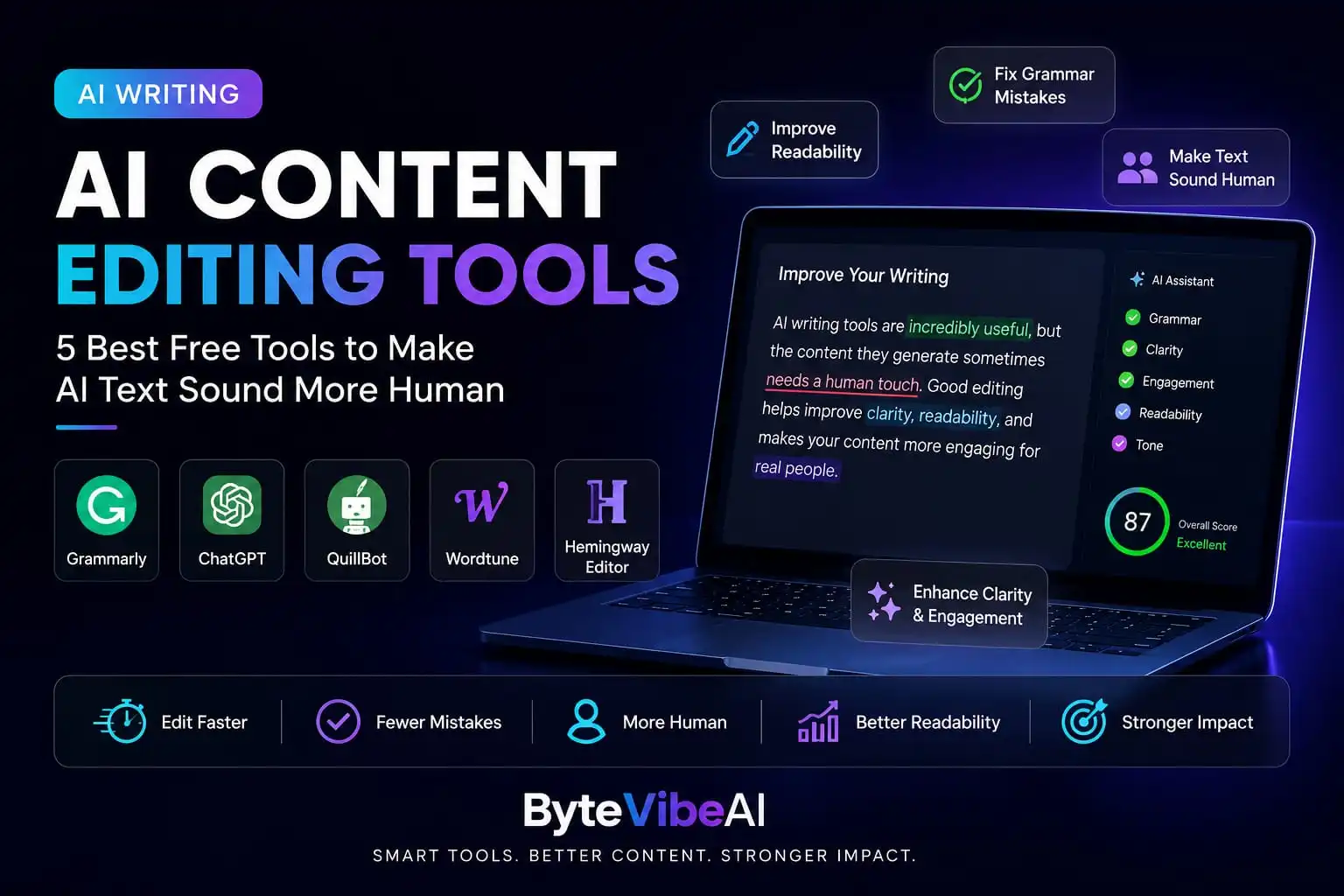
AI Content Editing Tools: 5 Best Free Tools to Make AI Text Sound More Human (2026)
Writing with AI can save hours of work, but the first draft isn’t always ready to publish. Sometimes the wording feels repetitive, the tone sounds too formal, or the sentences don’t flow naturally. That’s where AI Content Editing Tools become useful.
Instead of rewriting everything from scratch, AI Content Editing Tools help improve grammar, readability, sentence structure, and overall clarity. They make editing faster while allowing you to keep your own writing style and personality.
Whether you’re a blogger, freelancer, student, marketer, or small business owner, choosing the right editing tool can make your content easier to read and more enjoyable for your audience.
In this guide, we’ll explore five beginner-friendly AI Content Editing Tools that offer free plans and practical features to help you polish your writing before you hit the publish button.
Why AI Content Editing Tools Matter
Creating a first draft is only one part of the writing process. Editing is what turns a good draft into content that readers enjoy.
Using AI Content Editing Tools can help you:
- Improve grammar and spelling.
- Make sentences easier to understand.
- Remove repetitive wording.
- Improve readability.
- Create content that feels more natural.
The goal isn’t to replace your ideas. It’s to present them in a clear, professional, and reader-friendly way.
Quick Overview of the 5 Tools
✍️ Grammarly
Best For: Grammar checking, proofreading, and clarity.
Free Plan: ✅ Available
🤖 ChatGPT
Best For: Rewriting paragraphs and improving sentence flow.
Free Plan: ✅ Available
✨ QuillBot
Best For: Paraphrasing and improving readability.
Free Plan: ✅ Available
📝 Wordtune
Best For: Rewriting sentences in different styles.
Free Plan: ✅ Available
📖 Hemingway Editor
Best For: Simplifying complex writing and improving readability.
Free Plan: ✅ Web version available
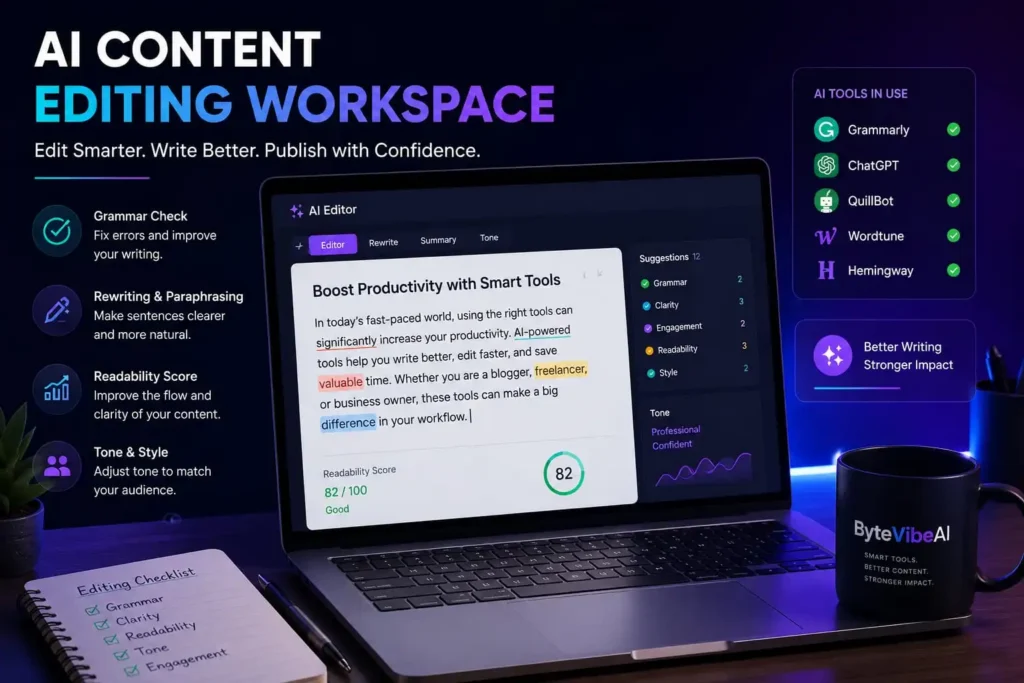
How We Chose These AI Content Editing Tools
Not every editing tool offers the same experience. Some focus only on grammar, while others help rewrite sentences, improve readability, or make your writing sound more natural.
For this guide, we selected AI Content Editing Tools based on factors that matter most to beginners and everyday writers.
Our selection is based on:
- Free plan availability
- Ease of use
- Editing quality
- Readability improvements
- Helpful rewriting features
- Overall value for bloggers and freelancers
Rather than recommending tools with dozens of complicated features, we focused on options that are simple to use and genuinely helpful for improving everyday writing.
1. Grammarly
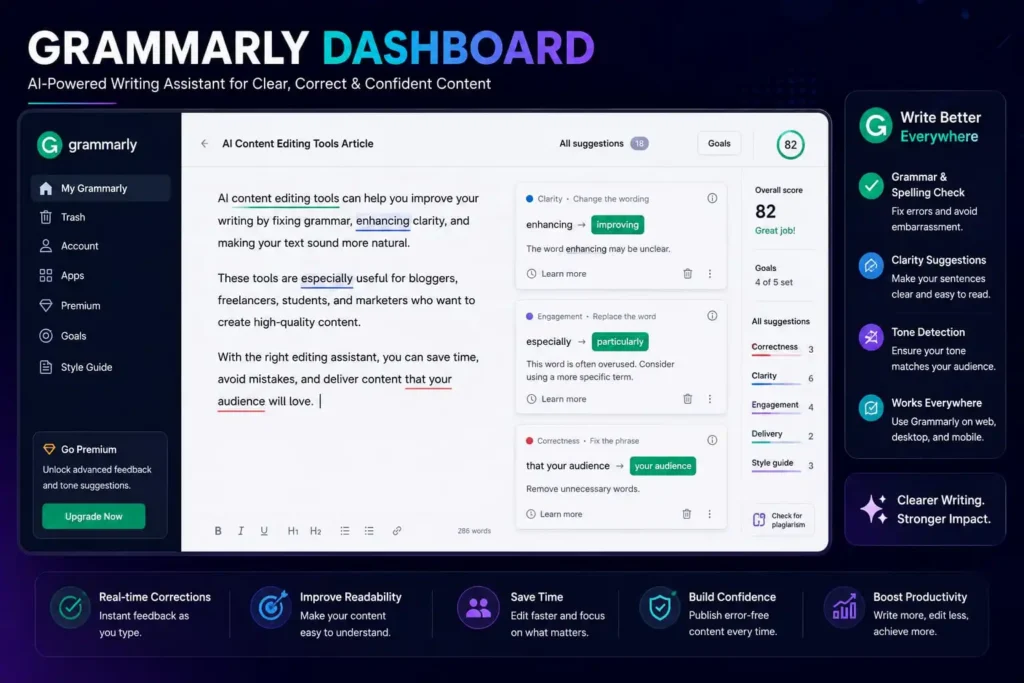
When people talk about AI Content Editing Tools, Grammarly is usually one of the first names that comes to mind. It’s designed to improve grammar, spelling, punctuation, and sentence clarity while keeping your writing easy to understand.
Whether you’re editing a blog post, email, or social media caption, Grammarly helps you catch mistakes before your content goes live.
Key Features
- Grammar and spelling correction
- Clarity suggestions
- Tone detection
- Punctuation checking
- Browser extension for easy editing
Pros
- Free plan available
- Easy to use for beginners
- Improves readability
- Works with most websites and apps
Cons
- Some advanced suggestions require a premium plan
- Doesn’t completely rewrite long articles
Best For
Bloggers, students, freelancers, and anyone who wants error-free writing.
2. ChatGPT
ChatGPT isn’t only useful for writing new content. It’s also one of the most practical AI Content Editing Tools for improving sentence flow, rewriting paragraphs, and making content easier to read.
Instead of accepting the first draft, you can ask ChatGPT to shorten long paragraphs, simplify complex sentences, or adjust the tone for a specific audience.
Key Features
- Rewrites paragraphs
- Improves sentence flow
- Changes writing tone
- Summarizes content
- Generates multiple rewritten versions
Pros
- Free plan available
- Fast editing assistance
- Flexible writing styles
- Helpful for brainstorming better wording
Cons
- Edited content should always be reviewed
- Sometimes rewriting can slightly change the original meaning
Best For:
Content creators, bloggers, marketers, and freelancers editing first drafts.
3. QuillBot
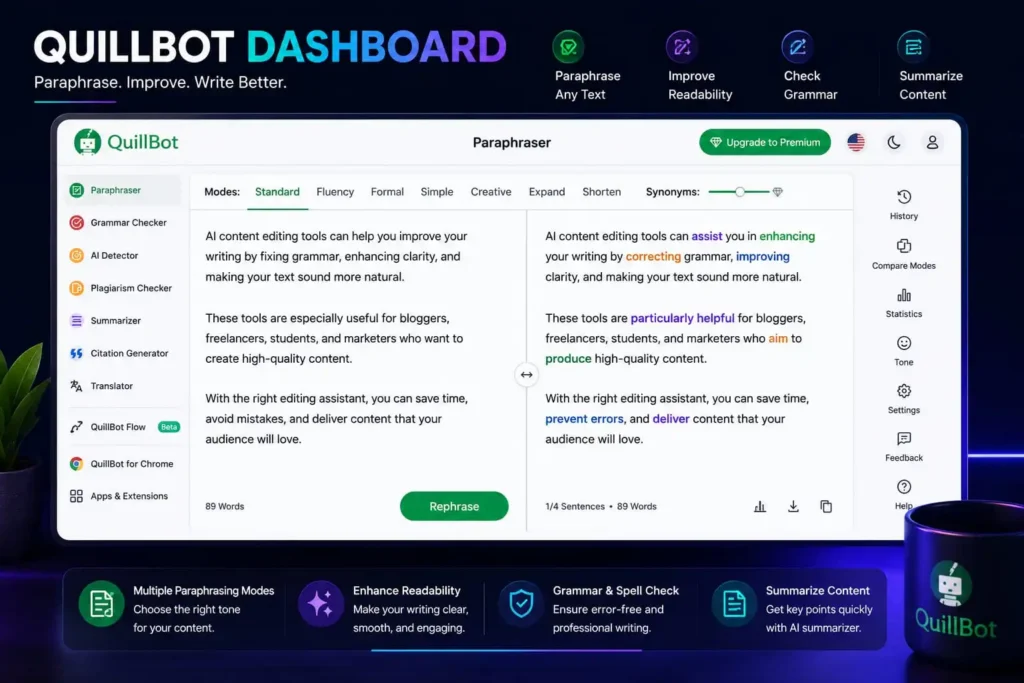
QuillBot is one of the most popular AI Content Editing Tools for paraphrasing and improving readability. It helps rewrite sentences while keeping the original meaning, making it useful for polishing drafts and reducing repetitive wording.
Many bloggers use QuillBot to explore different ways of expressing the same idea before choosing the version that sounds the most natural.
Key Features
- Paraphrasing modes
- Grammar checker
- Summarizer
- Citation generator
- Browser extension
Pros
- Beginner-friendly interface
- Free version available
- Improves sentence variety
- Easy to learn
Cons
- Free mode has limited features
- Some rewrites still need manual editing
Best For:
Students, bloggers, freelance writers, and researchers
4. Wordtune
Wordtune focuses on improving sentence structure instead of simply correcting grammar. It suggests different ways to rewrite a sentence, helping you choose wording that sounds more natural and fits your writing style.
This makes it a useful option when your content feels repetitive or difficult to read.
Key Features
- Sentence rewriting
- Tone adjustments
- Shorten or expand sentences
- Writing suggestions
- Browser support
Pros
- Clean interface
- Simple editing process
- Helpful rewrite suggestions
- Great for improving sentence flow
Cons
- Limited features in the free version
- Doesn’t replace a full proofreading tool
Best For:
Freelancers, business professionals, and bloggers improving sentence quality.
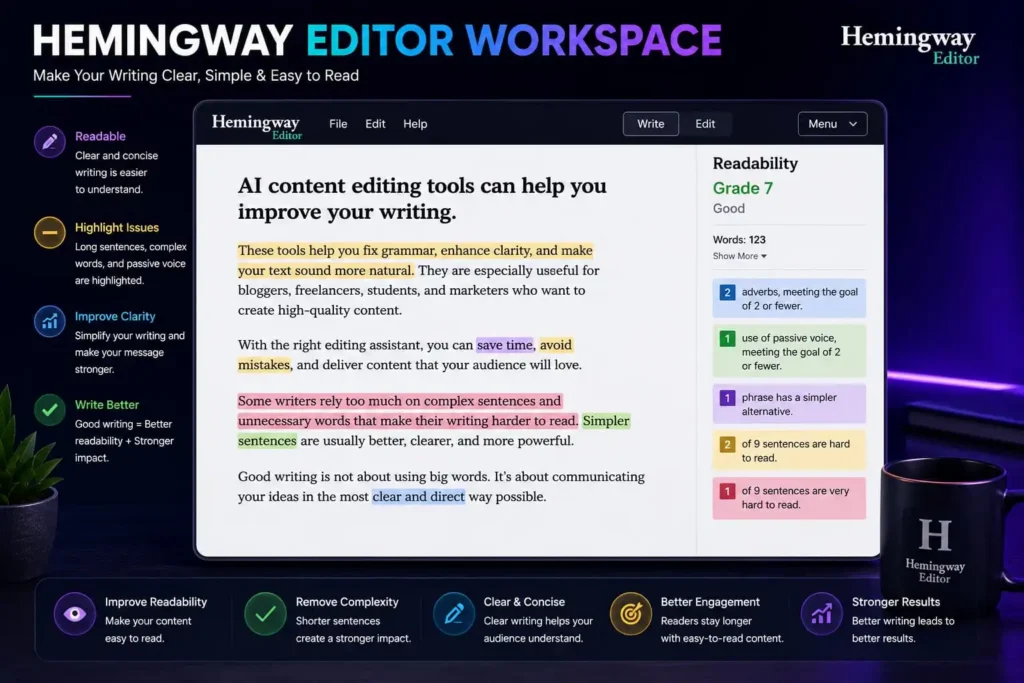
5. Hemingway Editor
Hemingway Editor takes a different approach from many other AI Content Editing Tools. Instead of generating content, it highlights long sentences, passive voice, and complex wording that may reduce readability.
Its goal is simple: help you write content that’s clear, direct, and easier for readers to follow.
Key Features
- Readability analysis
- Highlights complex sentences
- Detects passive voice
- Suggests simpler wording
- Easy-to-use editor
Pros
- Improves readability
- Beginner-friendly
- Simple interface
- Encourages clear writing
Cons
- Doesn’t rewrite content automatically
- Focuses more on readability than content generation
Best For:
Writers who want simple, clear, and reader-friendly content.
Expert Tips for Better Content Editing
Even the best AI Content Editing Tools work better when you combine them with careful proofreading.
Follow these simple tips:
- Edit your content after taking a short break.
- Read important paragraphs out loud.
- Keep sentences short and clear.
- Remove words that don’t add value.
- Make sure your writing matches your audience.
- Don’t accept every AI suggestion without reviewing it.
Common Mistakes When Using AI Content Editing Tools
Even the best AI Content Editing Tools can’t improve your writing if they’re used incorrectly. Avoid these common mistakes to create content that’s clear, natural, and enjoyable to read.
1. Publishing Without Reviewing the Final Draft
AI can quickly improve grammar and sentence structure, but you should always read the final version before publishing.
A quick review helps you catch awkward wording, missing details, or sentences that don’t match your writing style.
2. Accepting Every Suggestion
Editing tools often provide multiple suggestions, but not every recommendation is the right choice.
Select the edits that improve clarity while keeping your original message and tone.
3. Ignoring Readability
Long paragraphs and complicated sentences make articles harder to read.
One of the biggest benefits of AI Content Editing Tools is helping you create content that’s simple, clear, and reader-friendly.
4. Removing Your Personal Style
Your readers come back because of your unique way of explaining ideas.
Use editing tools to polish your writing—not to replace your own voice.
5. Depending Only on AI
Editing tools save time, but they don’t understand your audience as well as you do.
The best results come from combining AI suggestions with your own judgement and experience
Frequently Asked Questions
1. What are AI Content Editing Tools?
AI Content Editing Tools help improve grammar, spelling, readability, sentence flow, and clarity. They make editing faster while keeping your content easier to understand.
2. Which AI Content Editing Tool is best for beginners?
Grammarly is an excellent choice for beginners because it’s simple to use and provides clear suggestions for improving grammar and readability.
3. Can AI Content Editing Tools improve SEO?
Yes. By improving readability, fixing grammar mistakes, and creating clearer content, AI Content Editing Tools can support better user experience, which is an important part of SEO.
4. Should I edit AI-generated content before publishing?
Absolutely. Editing helps make your content sound more natural, removes repetitive wording, and ensures it matches your brand’s voice.
5. Are free AI Content Editing Tools enough?
For most bloggers, freelancers, students, and beginners, the free versions provide enough features to create high-quality content. As your needs grow, you can decide whether premium features are worth using.
Final Thoughts
Choosing the right AI Content Editing Tools can make a noticeable difference in the quality of your writing. They help you correct grammar, improve sentence flow, and create content that’s easier for readers to understand.
The most effective approach is to use these tools as editing assistants rather than relying on them to make every decision. Review the suggestions, keep your own writing style, and focus on creating content that genuinely helps your audience.
Over time, you’ll discover which editing tools fit your workflow best. With consistent practice and careful proofreading, you’ll produce content that’s more polished, more professional, and more enjoyable to read.
You May Also Like
- 5 Best Free AI Writing Tools for Bloggers and Freelancers (2026)
- How to Use AI Content Checkers Safely to Improve Your Writing (2026)
- How to Use AI for SEO Copywriting: A Beginner’s Guide for Remote Writers
- Top 5 Free AI Tools to Write High-Converting Social Media Copy Fast
Explore more beginner-friendly AI Writing guides on ByteVibeAI to discover practical tutorials, free AI tools, and step-by-step tips that help you write with more confidence and create better content.