How to Write a Newsletter With AI in 30 Minutes: Free Prompts
Writing a newsletter every week sounds simple until you actually sit down to do it. You need a good topic, a useful structure, an interesting opening, clear writing, a strong subject line, and a reason for readers to keep going. If you are doing everything from scratch, one newsletter can easily take several hours.
That is where AI can help.
When used properly, AI can speed up the repetitive parts of newsletter writing without taking away your personal voice. The key is not to ask a tool to “write my newsletter” and publish whatever comes back. Instead, you can use AI as a writing assistant while you control the ideas, facts, opinions, examples, and final edits.
In this guide, you will learn how to write a newsletter with AI in about 30 minutes, using simple prompts you can copy, customize, and reuse. You will also see how to make the final newsletter sound natural instead of generic or robotic.
What You Need Before You Start
You do not need an expensive writing platform to follow this process. All you really need is:
- A newsletter topic
- A few notes or ideas
- An AI writing tool (check out our guide on the best free AI writing tools for creators)
- About 30 minutes
- Your own judgment and final editing
You can use a free AI chatbot for the writing process. If you already publish newsletters through a platform such as beehiiv, Kit, Substack, or another email service, you can move the finished copy there afterward.
Free newsletter platforms are widely available, although their subscriber limits and features differ. The important part is that the writing process comes first. Your publishing platform is a separate decision.
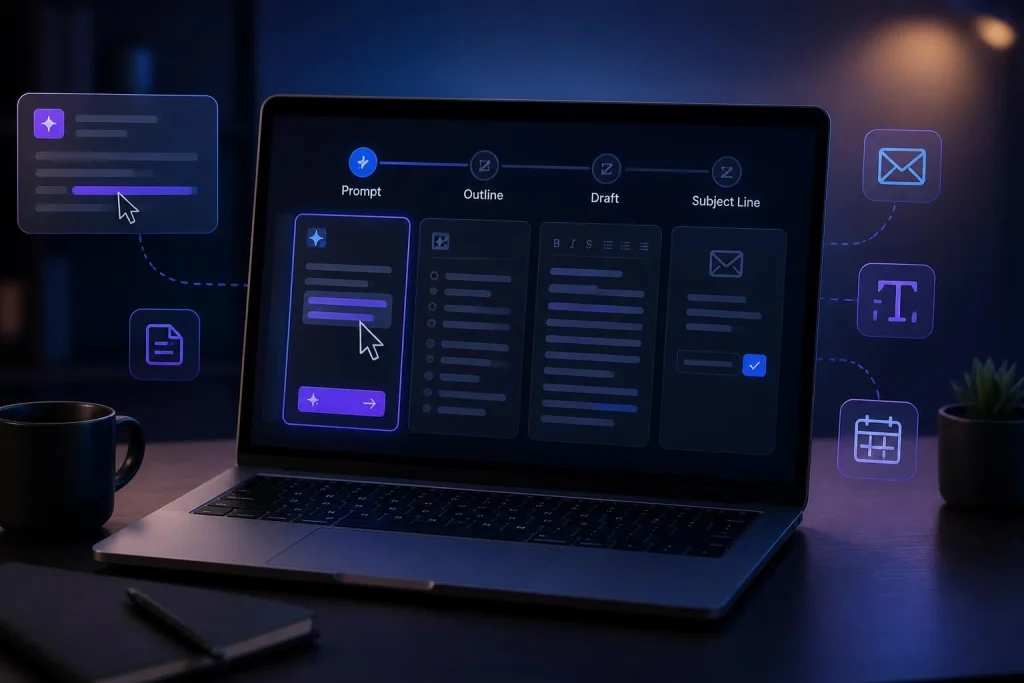
The 30-Minute Newsletter Workflow
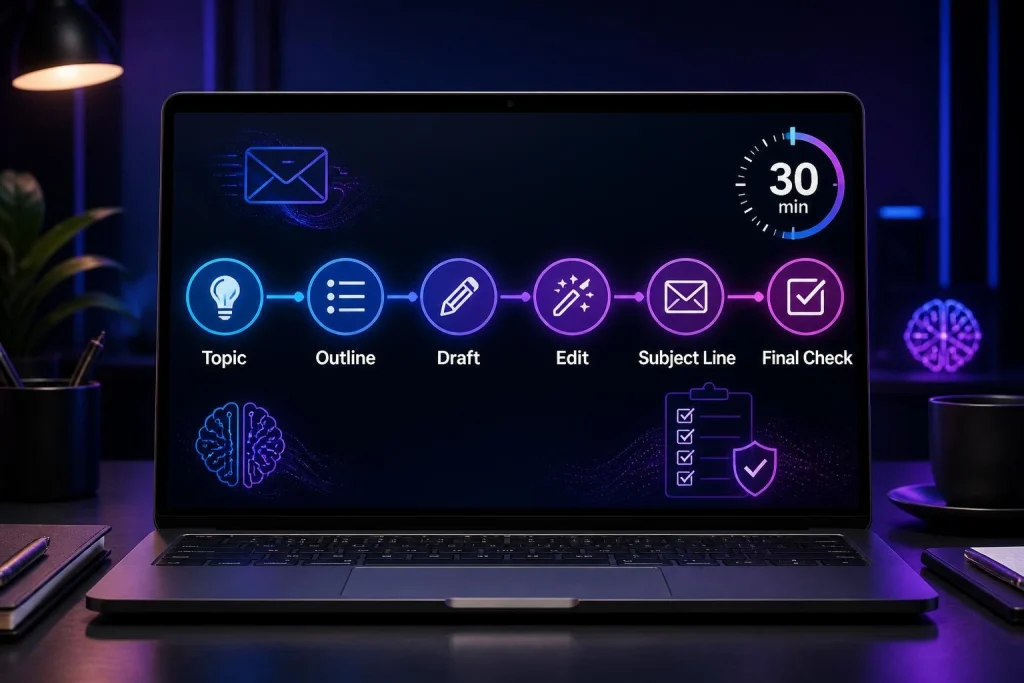
Here is the simple workflow we will follow:
- Minutes 1–5: Choose the topic and angle
- Minutes 5–8: Create the outline
- Minutes 8–18: Write the first draft
- Minutes 18–23: Improve the writing
- Minutes 23–27: Create subject lines and preview text
- Minutes 27–30: Fact-check and final edit
The exact timing will vary depending on the length of your newsletter, but this gives you a practical starting point.
Step 1: Choose a Specific Newsletter Topic
The first mistake many beginners make is choosing a topic that is too broad.
For example:
“AI tools”
That is not really a newsletter topic. Instead, narrow it down:
“3 free AI tools that can save freelancers time this week”
Now the reader knows exactly what they are getting. Your newsletter should ideally answer one simple question or solve one small problem.
Try this prompt:
Prompt:
“Give me 10 newsletter topic ideas for [my audience]. Focus on practical problems they are currently dealing with. Avoid generic topics. For each idea, give me a clear angle, the main benefit for the reader, and one reason they would want to open the email.”
Don’t simply choose the first idea AI gives you. Pick the one that feels genuinely useful to your audience. Your experience, opinions, examples, or observations are what make the newsletter worth reading.
Step 2: Create a Simple Newsletter Outline
Once you have your topic, create the structure before writing the full draft. A good newsletter does not need ten sections.
For most newsletters, a simple structure works well:
- Opening hook
- Main idea
- Two or three useful points
- Practical example
- Takeaway
- Call to action
Copy-paste prompt:
Prompt:
“Create a simple newsletter outline about [topic] for [audience]. Keep it practical and easy to follow. Start with an interesting opening, followed by 3 useful points, one real-world example, and a short takeaway. End with a natural call to action. Do not make it sound like a sales email.”
Now you have a roadmap. And this is important: do not ask AI to make the newsletter unnecessarily long. A useful 500-word email is better than a 1,500-word email that says the same thing five times.
Step 3: Add Your Own Notes
This is one of the biggest differences between a generic newsletter and a useful one. Before asking AI for a draft, give it your own material.
That could include:
- Your personal experience
- A lesson you learned
- A mistake you made
- A useful statistic
- A customer question
- A product you tested
- Your opinion
- A real example
For example, instead of giving AI only this:
“Write a newsletter about productivity.”
Give it:
“I noticed that I waste the most time switching between email, Slack and project management apps. I started grouping communication into two specific time blocks each day, and it helped me stay focused.”
Now there is something real to work with. That information gives the newsletter a point of view.
Step 4: Write the First Draft
Now you can generate the first version. But don’t use a lazy prompt like:
“Write a newsletter about AI productivity.”
That usually produces predictable writing. Use a more detailed instruction that incorporates proper AI for SEO copywriting techniques to guide the output.
Newsletter writing prompt:
Prompt:
“Write a newsletter for [audience] about [topic]. Use the outline below and incorporate my notes naturally. Start with a strong but simple hook. Keep the writing conversational, useful, and specific. Use short paragraphs and avoid unnecessary filler. Do not use exaggerated claims, corporate language, clichés, or repetitive phrases. Include practical examples where appropriate. Keep my personal point of view and do not invent experiences, statistics, quotes, or facts that I did not provide. End with a natural takeaway and a simple call to action.
My notes:
[paste your notes]
Outline:
[paste your outline]”
This prompt gives the writing direction without trying to replace your judgment.
Step 5: Make the Newsletter Sound Natural
This is the step many people skip. The first draft may be grammatically correct but still feel flat.
You may notice sentences such as:
- “In today’s fast-paced digital world…”
- “Whether you’re a beginner or an experienced professional…”
- “This powerful solution can transform the way you work…”
These phrases often make writing feel generic. Remove them. Instead, make the writing sound like something you would actually say to a reader.
Use this editing prompt:
Prompt:
“Edit this newsletter for clarity and natural flow. Keep my meaning, opinions, examples, and personality. Remove unnecessary filler, repetitive sentences, generic introductions, exaggerated claims, and corporate-sounding language. Use natural sentence variation and short paragraphs. Do not make the writing overly polished or formal. It should feel like a knowledgeable person explaining something useful to another person. Do not add new facts or claims. Show me the revised version.”
There is an important reason to keep this step. Current guidance around AI-assisted email marketing increasingly emphasizes human review, fact-checking, and final approval rather than sending AI output without checking it.
Step 6: Create Better Subject Lines
Your newsletter can be excellent and still get ignored if the subject line gives readers no reason to open it.
Instead of asking for 50 random subject lines, give AI the actual newsletter and apply high-converting copy techniques to craft engaging options.
Subject line prompt:
Prompt:
“Based on the newsletter below, create 10 subject lines. Keep them clear, specific, and natural. Avoid clickbait, fake urgency, excessive punctuation, and exaggerated promises. Create different styles: curiosity, benefit-focused, straightforward, personal, and question-based. Keep each subject line concise.”
For example, if your newsletter is about saving time with AI tools:
- Weak: “The Ultimate AI Productivity Revolution You Need to Know About!”
- Better: “3 AI tools that saved me time this week”
The second one tells the reader what they can expect.
Step 7: Write the Preview Text
The small line next to or below the subject line can also help. Think of it as a second chance to explain why the email is worth opening.
Prompt:
Prompt:
“Write 5 short preview-text options for this newsletter. Each should complement the subject line instead of repeating it. Keep them natural, specific, and useful. Avoid clickbait.”
For example:
- Subject: 3 AI tools that saved me time this week
- Preview text: Here is what each tool actually helped me do.
Simple and direct.
Step 8: Add a Natural Call to Action
Your CTA does not always need to be a loud sales pitch like “BUY NOW!” For a newsletter, the CTA can simply encourage the reader to take one useful action.
If you want to write engaging emails, using dedicated free AI email generators can help you structure these calls to action effortlessly.
Examples of natural CTAs:
- Try one of the tools mentioned.
- Reply with your experience.
- Read the full tutorial.
- Share the newsletter with a friend.
- Test one idea this week.
- Join your free newsletter community.
CTA prompt:
Prompt:
“Give me 5 natural calls to action for this newsletter. Keep them short and helpful rather than salesy. The CTA should match the purpose of the newsletter.”
A Complete Newsletter Example
Let’s say your topic is: “3 AI tools that can save freelancers time”.
Your finished newsletter might look something like this:
- Subject: 3 AI tools that can save freelancers time
- Preview: Simple ways to cut down repetitive work.
Opening:
Freelancing gives you plenty of freedom, but there is one problem nobody talks about enough: repetitive tasks can quietly eat up your day. Writing routine emails, organizing notes, summarizing information, and preparing first drafts can take more time than expected.
Here are three AI tools that can help reduce some of that work.
Main Content:
- Use an AI writing assistant for first drafts: Instead of starting every email or document with a blank page, use an AI tool to create a rough first draft. You still decide what to say—the tool simply gives you something to work from.
- Turn meeting notes into summaries: If you regularly attend client calls, an AI note-taking tool can help organize the conversation into key points and action items. That means less time searching through messy notes later.
- Use AI for repetitive research tasks: AI can help you organize information, compare ideas, and create a starting point for research. Just remember to verify important facts before using them in client work.
Takeaway:
You don’t need AI to handle everything. Start with one repetitive task that wastes your time and see whether AI can make that part of your workflow easier.
Call to Action:
Which task takes up most of your time each week? Reply and let me know!
How to Write a Newsletter With AI Without Losing Your Voice
This is probably the most important section of the entire guide. AI can help with structure and wording, but your newsletter still needs something that belongs to you.
That could be:
- Your opinion
- Your personal experience
- Your unique writing style
- Real-life examples
- Lessons from your mistakes
- Specific recommendations
- Your perspective on industry trends
One useful approach is to give the writing tool samples of your previous newsletters and ask it to understand your style before creating a new draft. Current newsletter-writing guidance also recommends using previous issues as style references rather than relying only on vague instructions such as “make it friendly.”
The goal isn’t to make every sentence perfect—the goal is to make the newsletter useful, believable, and worth opening again next week.
Yeh raha final section: “30-Minute Newsletter Checklist”, “Free AI Prompts You Can Save”, “Final Thoughts”, aur “Frequently Asked Questions (FAQs)”.
Isko copy karke article ke bilkul aakhir mein paste kar dein:
A 30-Minute Newsletter Checklist
Before sending your newsletter, quickly check these points:
Content
- Does the newsletter solve one clear problem?
- Is the opening interesting?
- Did I include something useful or original?
- Are the examples relevant?
- Did I remove unnecessary filler?
Accuracy
- Did I verify important facts?
- Did I check statistics and product claims?
- Did I avoid making unsupported promises?
- Did I personally review the final version?
Email Quality
- Is the subject line clear?
- Is the preview text useful?
- Are paragraphs easy to scan?
- Is there one clear CTA?
- Does the email look good on mobile?
Free AI Prompts You Can Save
Here are the five most useful prompts from this guide in one place:
- Topic Prompt:“Give me 10 specific newsletter topic ideas for [audience]. Focus on real problems and useful outcomes. Avoid generic ideas.”
- Outline Prompt:“Create a simple newsletter outline about [topic] with a strong opening, three useful points, one example, a takeaway, and a natural CTA.”
- Draft Prompt:“Write a practical newsletter using my notes and outline. Keep my point of view, use short paragraphs, avoid filler and clichés, and do not invent facts or experiences.”
- Human Editing Prompt:“Edit this newsletter for natural flow and clarity. Remove generic, repetitive, corporate-sounding language while keeping my meaning, personality, and examples.”
- Subject-Line Prompt:“Create 10 concise subject lines for this newsletter using different approaches such as curiosity, benefit, personal, question-based, and straightforward. Avoid clickbait.”
Save these somewhere you can easily access them. After writing several newsletters, you can also improve the prompts based on what your readers actually respond to.
Final Thoughts
Learning how to write a newsletter with AI is less about getting AI to do all the writing and more about building a faster writing process. Use it to brainstorm ideas, organize your thoughts, create a first draft, improve clarity, and generate subject-line options.
But keep the important parts in your hands. Your ideas, experiences, opinions, examples, fact-checking, and final edits are what give a newsletter its personality.
Start with one topic, spend a few minutes planning it, use the prompts above to speed up the repetitive work, and finish with a careful human edit. With practice, a newsletter that once took several hours can become a much more manageable 30-minute workflow.
Frequently Asked Questions
Can I write a newsletter with AI for free?
Yes. You can use free AI writing tools to brainstorm topics, create outlines, draft content, edit copy, and generate subject lines. The exact free features and limits vary by tool.
Can AI make a newsletter sound human?
It can help, but the best results usually come from giving it your own notes, examples, previous writing, and specific instructions. Always review the final draft yourself.
How long should a newsletter be?
There is no universal word count. A short newsletter can work very well if it delivers one clear idea and gives readers something useful.
Should I publish AI-written newsletters without editing?
No. Review the content before sending it. Check facts, product claims, tone, links, names, and anything that could affect your readers or business.
What is the fastest way to write a newsletter?
Use a repeatable workflow: topic $\rightarrow$ outline $\rightarrow$ notes $\rightarrow$ first draft $\rightarrow$ editing $\rightarrow$ subject line $\rightarrow$ final check. Once you have a system, you spend less time deciding what to do next.
Call To Action
Have you tried using AI to streamline your newsletter workflow yet? Which prompt or tool helped you save the most time?
Drop your thoughts or questions in the comments below! And if you found this guide helpful, subscribe to the ByteVibeAI Newsletter for weekly practical AI prompts, productivity tips, and step-by-step guides delivered straight to your inbox.