How to Turn Messy Meeting Notes Into a Follow-Up Plan With AI (2026)
Meetings can feel productive while they are happening, but the real work often starts after everyone leaves the call.
You may have several pages of notes, half-finished sentences, decisions mixed with ideas, and a few tasks that seemed obvious during the discussion. A day later, it can become difficult to remember who agreed to do what, which deadline actually matters, and what still needs an answer.
This is where AI can help.
Instead of treating AI as a tool that simply summarizes a meeting, you can use it to organize messy notes into a practical follow-up plan. It can separate decisions from tasks, identify deadlines that were actually mentioned, highlight unanswered questions, and prepare a clear list of next steps.
The important part is that AI should organize what was discussed, not invent information that was never agreed on.
In this guide, you’ll learn how to Turn Messy Meeting Notes Into a Follow-Up Plan using a simple workflow that works for client meetings, remote teams, freelance projects, and everyday work.
Why Messy Meeting Notes Become a Problem
Not every meeting produces clean notes. You might type quickly while someone is speaking:
- New homepage needs changes.
- Sarah will check the images?
- Client wants something cleaner.
- Maybe Friday for first draft.
- Need mobile version too.
- Ask about pricing section.
- John to send access.
These notes may make perfect sense during the meeting. Later, however, they leave several questions:
- Which tasks are confirmed?
- Who owns each task?
- Is Friday an actual deadline or just a suggestion?
- What does “cleaner” mean?
- Who needs to answer the pricing question?
- What information are you still waiting for?
- What should be done first?
A traditional meeting summary might turn these notes into a polished paragraph. That is not always useful. A follow-up plan needs to go one step further. It should help you move from “What happened in the meeting?” to “What needs to happen next?”
What Is a Follow-Up Plan?
A follow-up plan is a practical list of actions that comes after a meeting. Instead of storing everything that was discussed, it focuses on information that helps people move the project forward.
A useful plan can include:
- Decisions — What was agreed?
- Action items — What needs to be done?
- Owners — Who is responsible?
- Deadlines — When is something due?
- Open questions — What still needs clarification?
- Waiting items — What information or approval is missing?
- Follow-ups — Who needs to be contacted?
- Next check-in — When should progress be reviewed?
This structure makes meeting notes much easier to use.
You do not need to reread two pages of notes just to remember that you need to send a client three images by Thursday.
How AI Can Turn Messy Meeting Notes Into a Follow-Up Plan
AI is useful here because it can organize unstructured information into clearly separated sections. You provide your meeting notes, and instead of asking only for a summary, you give AI a specific job.
For example:
“Organize these meeting notes into decisions, action items, owners, deadlines, open questions, and follow-ups. Do not assume or invent information that isn’t included.”
This changes the output.
Rather than receiving a long summary, you get something closer to a working project checklist.
Example
Imagine your original notes say:
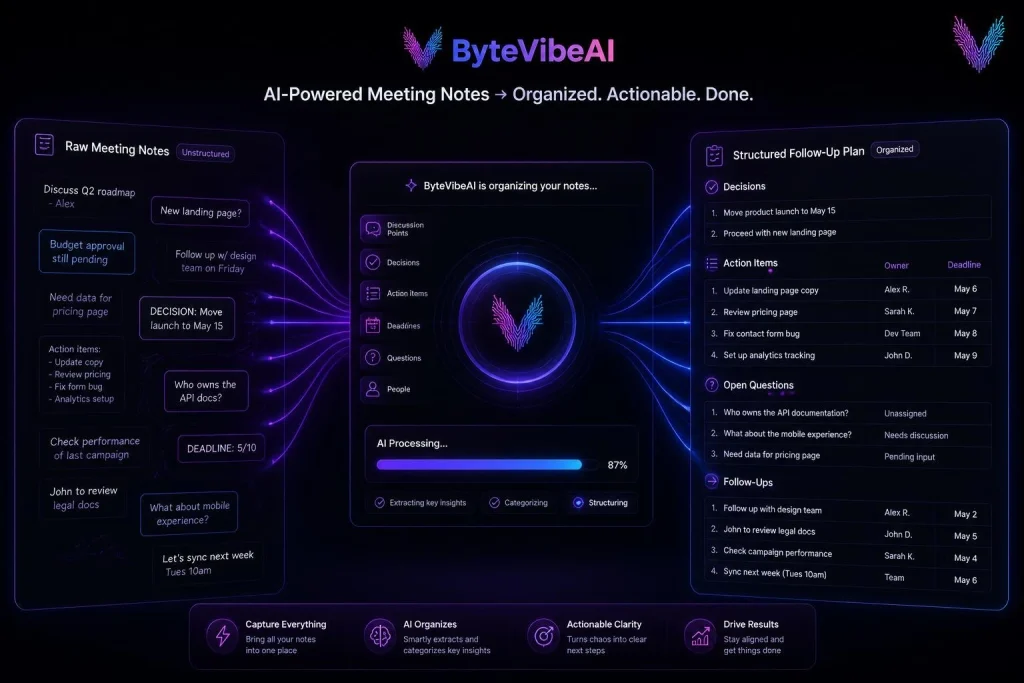
Client wants homepage updated. Sarah will prepare three new image options. John needs to check the mobile layout. Client will send the new logo. We discussed Friday but didn’t confirm whether that’s the final deadline. Need to ask about the pricing section.
AI can organize this into:
Decisions
- Homepage needs an updated design.
- Three new image options are required.
Action Items
- Sarah — prepare three image options.
- John — check the mobile layout.
- Ask client about the pricing section.
Waiting For
- New logo from client.
Deadline
- Friday was discussed, but the final deadline was not confirmed.
Clarification Needed
- Confirm whether Friday is the actual delivery deadline.
- Confirm what changes are required for the pricing section.
That is far more useful than a simple meeting summary. If you also use AI for content creation, check out our guide on Best Free AI Writing Tools for Bloggers and Freelancers.
The Most Important Rule: Don’t Let AI Guess
This is one of the most important parts of the workflow. If your meeting notes say
“We discussed Friday,” AI should not automatically turn that into “Deadline: Friday.”
Those two statements are not necessarily the same. Friday could have been:
- A suggested date
- A possible delivery date
- A date someone mentioned casually
- A proposed review date
- The actual deadline
Only the meeting participants can confirm which one it is. So your AI workflow should clearly separate confirmed information from information that needs confirmation.
For example:
Confirmed deadline: Thursday — final images due.
Needs confirmation: Friday was mentioned as a possible launch date.
This small distinction can prevent a lot of confusion.
What Information Should AI Extract?
When you Turn Messy Meeting Notes Into a Follow-Up Plan, don’t ask AI to extract everything. Focus on information that helps you take action.
1. Decisions
Ask: What did we actually agree on? Decisions are important because they can easily get buried inside general discussion.
2. Action Items
These are the actual things someone needs to do.
- Prepare homepage images
- Review the mobile layout
- Send the revised proposal
- Confirm the delivery date
3. Owners
Every task should have a person responsible for it when the meeting clearly identifies one. If nobody was assigned, don’t let AI guess. Instead:
Owner: Needs confirmation
4. Deadlines
Only extract deadlines that were actually stated or clearly agreed upon. If there is uncertainty, mark it. This keeps your follow-up plan accurate.
5. Open Questions
Meetings often end with unanswered questions.
- Which design should we use?
- Who will provide the final files?
- Has the client approved the new pricing?
- Should the launch happen this month?
6. Waiting Items
This is especially useful for freelancers and client work. You might be waiting for client approval, images, documents, account access, feedback, payment confirmation, or product information. Adding these items to the follow-up plan prevents them from disappearing from your attention.
A Simple Workflow You Can Use After Every Meeting
You don’t need a complicated automation system to get started. Use this simple process:
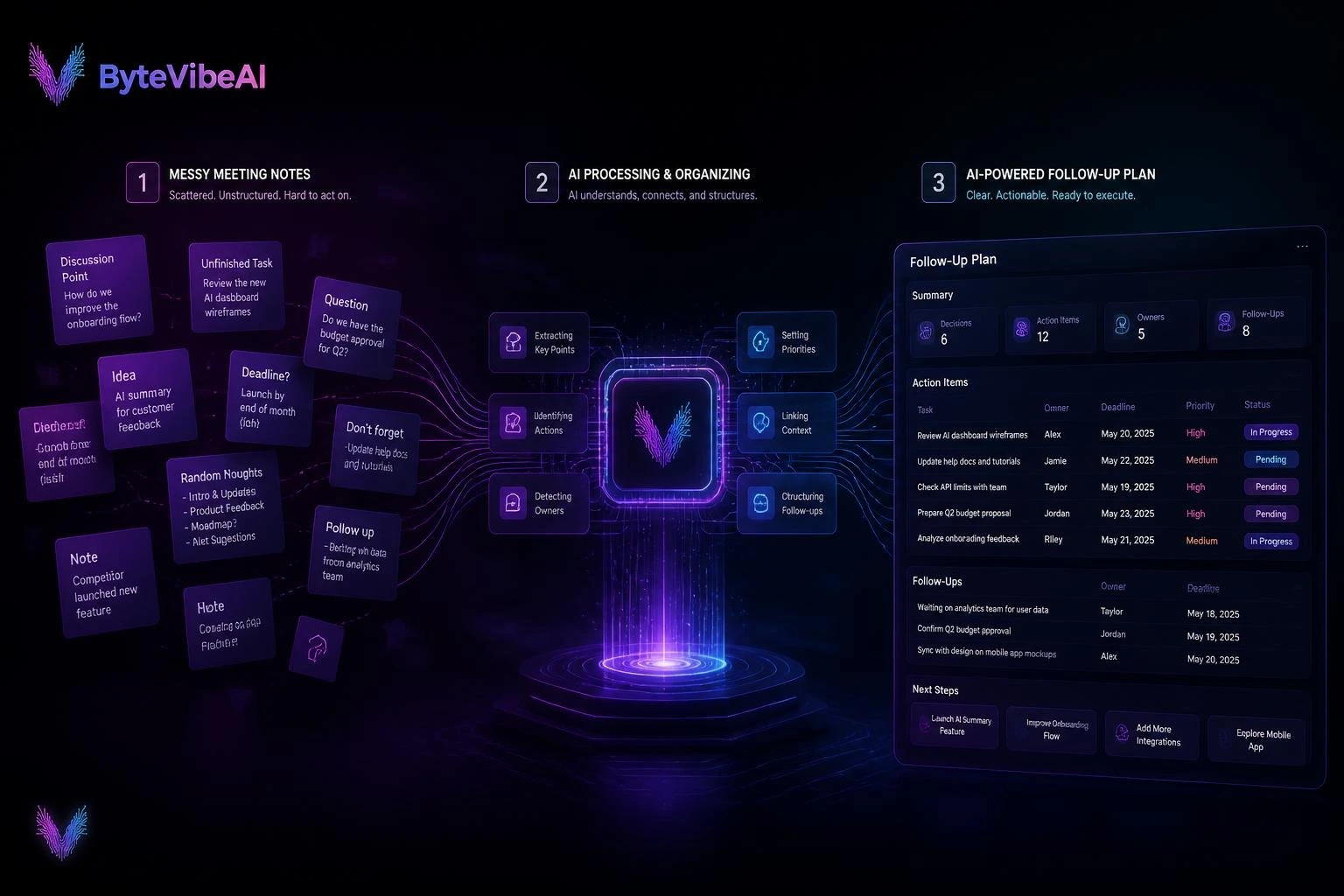
Meeting Notes → AI Extraction → Human Review → Follow-Up Plan → Task Manager → Follow-Up
- Step 1:
Capture the Notes — Use whatever note-taking method already works for you. Your notes can be messy. - Step 2:
Give the Notes to AI — Ask AI to organize them into specific categories. - Step 3:
Review the Output — Compare the AI-generated plan with the original notes. Check names, deadlines, responsibilities, and decisions. - Step 4:
Move Real Tasks Into Your Task Manager — Only move confirmed action items into your actual task system. - Step 5: Follow Up — Send questions, request missing information, or remind people about agreed next steps.
A Reusable AI Prompt for Meeting Notes
You can save this prompt and use it after future meetings:
“Analyze the meeting notes below and create a practical follow-up plan. Separate the information into: decisions, action items, task owners, confirmed deadlines, open questions, waiting items, and follow-ups. Do not invent deadlines, owners, decisions, or requirements. If information is unclear or missing, mark it as ‘Needs confirmation.’ Keep the output concise and practical. For each action item, explain what needs to be done and who is responsible when the notes clearly state it.”
This prompt is intentionally simple. You don’t need a complicated prompt every time. The quality of the result will also depend on how clear and complete your original meeting notes are.
Turn Multiple Meeting Notes Into a Clear Follow-Up Plan
A single meeting is usually easy to organize. The challenge starts when one meeting covers several projects, multiple people, different deadlines, and a long list of follow-up messages.
The solution is to make AI organize the information by project, person, priority, and next action.
Separate Tasks by Project
Suppose your meeting includes three projects:
Website
- Review homepage design
- Fix mobile layout
- Add new images
Content
- Update three blog posts
- Review SEO titles
- Get client approval
Marketing
- Ask for product details
- Prepare social media graphics
- Confirm campaign date
Instead of creating one long list of unrelated tasks, separate them into project groups.
Give Each Task a Clear Next Action
One common problem with meeting notes is vague wording.
For example:
“Website needs work.”
That isn’t a useful task.
A better version would be:
Review the homepage layout and list the sections that need changes.
Another example:
“Talk about social media.”
Can become:
Ask the client which platforms should be included in the next campaign.
A good task should make it clear what happens next.
When you ask AI to organize your notes, tell it to rewrite vague discussion points as specific next actions—but only when the intended action is clear from the original notes.
Don’t Confuse Priorities With Deadlines
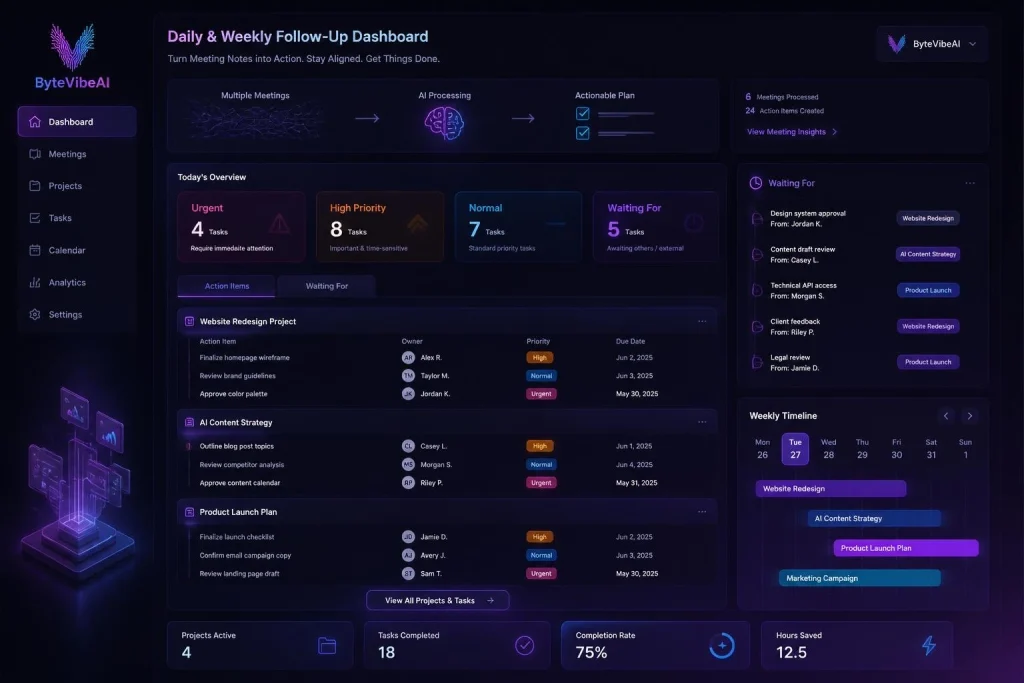
A task can be high priority without having a deadline. You can ask AI to classify tasks using a simple system:
- 🔴 Urgent — needs attention quickly
- 🟠 High — important but not necessarily urgent
- 🟡 Normal — regular work
- 🔵 Waiting — someone else needs to respond first
Handle Multiple People Without Creating Confusion
Meetings can involve several people, and responsibility can easily become unclear. If the meeting doesn’t clearly assign a task to someone, don’t assign it automatically.
Use:
Owner: Needs confirmation
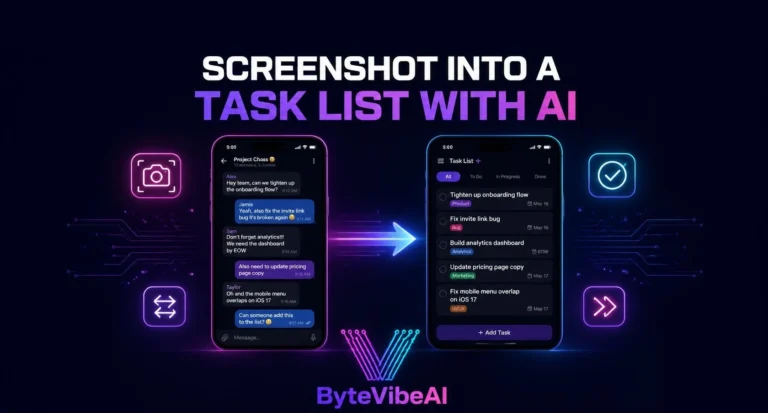
Turn Meeting Notes Into a Daily Task List
After reviewing the meeting output, ask AI to create a short daily list:
Today’s Client Tasks
🔴 High Priority: Fix homepage mobile issue | Send revised proposal to Client A
🟠 Important: Review Client B’s three blog drafts | Prepare image options for Client C
🔵 Waiting: Client A (waiting for final logo) | Client C (waiting for pricing confirmation)
For another practical way to organize work with AI, see our guide on How to Turn Client Emails Into a Daily Task List With AI (2026)
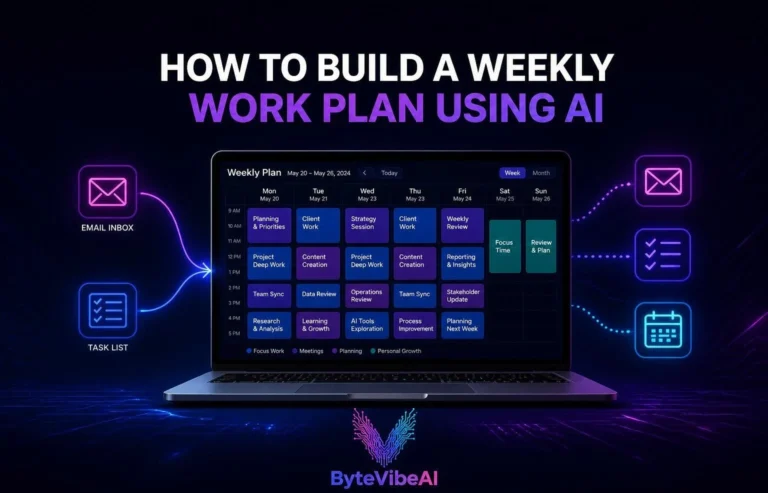
Create a Weekly Follow-Up Plan
Some meeting tasks cannot be completed in one day. Ask AI to spread confirmed tasks across the week:
- Monday: Review homepage changes, Send client questions
- Tuesday: Prepare content revisions, Check mobile layout
- Wednesday: Create design options, Review client feedback
- Thursday: Complete approved revisions
- Friday: Send final update, Review outstanding tasks
The key is to schedule only tasks that actually have enough information to be planned.
If a deadline or dependency is unclear, leave it as Needs confirmation rather than creating an artificial schedule.
Use AI to Draft the Follow-Up Email
One of the most useful parts of this workflow is turning the same meeting notes into a follow-up email.
You don’t need to start from a blank page.
After reviewing the plan, ask AI to create a short email containing:
- what was agreed
- completed decisions
- assigned actions
- confirmed deadlines
- questions that need answers
- information you’re waiting for
For example:
Subject: Meeting Follow-Up — Website Project
Hi Sarah,
Thanks for the meeting today. Here are the main next steps we discussed:
- I’ll update the homepage layout.
- John will review the mobile version.
- Alex will send the new product images.
- We still need to confirm the final launch date.
Please let me know if I’ve missed anything or if any of the responsibilities need to be changed.
Best,
[Your Name]
Before sending it, read the email yourself.
AI can organize the information, but you are responsible for making sure the message accurately reflects the meeting.
If you regularly communicate with potential clients, check out our guide on Best AI Prompts for Writing Cold Outreach Emails That Get Replies to create more effective messages.
Don’t Send AI Follow-Up Emails Automatically
Automation can save time, but follow-up emails deserve a quick human review:
AI Draft → Human Review → Send
(Never: AI Draft → Automatically Send)
Keep Follow-Up Tasks Connected to the Original Notes
Once you turn meeting notes into tasks, don’t completely separate the tasks from their source.
If possible, keep the original meeting notes or recording link connected to the task.
For example:
Task: Update homepage hero section
Source: Client meeting — September 24
Owner: You
Deadline: September 27
Context: Client requested a cleaner first section.
This becomes useful when you return to the task several days later.
You don’t have to search through your inbox or meeting history to remember why the task exists.
What If the Meeting Notes Are Really Messy?
Tell AI to identify uncertainty instead of guessing. Separate output into: Confirmed, Possible, and Needs confirmation.
A Better Prompt for Complex Meetings
“Turn the meeting notes below into a structured follow-up plan. Group tasks by project and person. Separate decisions, action items, deadlines, waiting items, open questions, and follow-ups. Only use owners and deadlines that are clearly stated in the notes. Do not guess missing information. Mark uncertain details as ‘Needs confirmation.’ Identify dependencies where one task cannot start until another person provides information or approval. Then create a short daily task list using only confirmed tasks. Finally, draft a concise follow-up email based only on the confirmed information.”
The 5-Minute Post-Meeting Routine
You don’t need to spend 30 minutes organizing every meeting.
Try this simple routine:
Minute 1 — Capture
Collect your raw notes in one place.
Minute 2 — Extract
Give them to AI and ask for decisions, tasks, owners, deadlines, and questions.
Minute 3 — Verify
Compare the AI output with your original notes.
Minute 4 — Plan
Move confirmed tasks into your daily or weekly task list.
Minute 5 — Follow Up
Send questions, request missing information, or prepare the follow-up email.
This creates a repeatable habit without turning productivity into another complicated project.
Build a Reliable AI Meeting Follow-Up System
Here is how to make that process part of your normal workday:
- Review the follow-up plan before you start working.
- Turn follow-ups into specific actions.
- Use a waiting list for tasks you cannot control.
- Follow up without becoming annoying.
- Create a simple follow-up schedule (Same day, Next business day, Later in the week).
- Protect Confidential Meeting Information: Never paste passwords, private access keys, or sensitive credentials into AI tools.
You can also use AI to organize and improve older content. Check out our guide on How to Use AI to Rewrite Old Articles and Boost SEO Traffic for another practical AI workflow.
Common AI Meeting Follow-Up Mistakes
- Treating every discussion point as a task
- Accepting AI-generated deadlines
- Allowing AI to assign owners
- Sending AI emails without reviewing them
- Creating too many microtasks
- Losing the original context
Create a Repeatable Post-Meeting System
Now we can combine everything into one simple process.
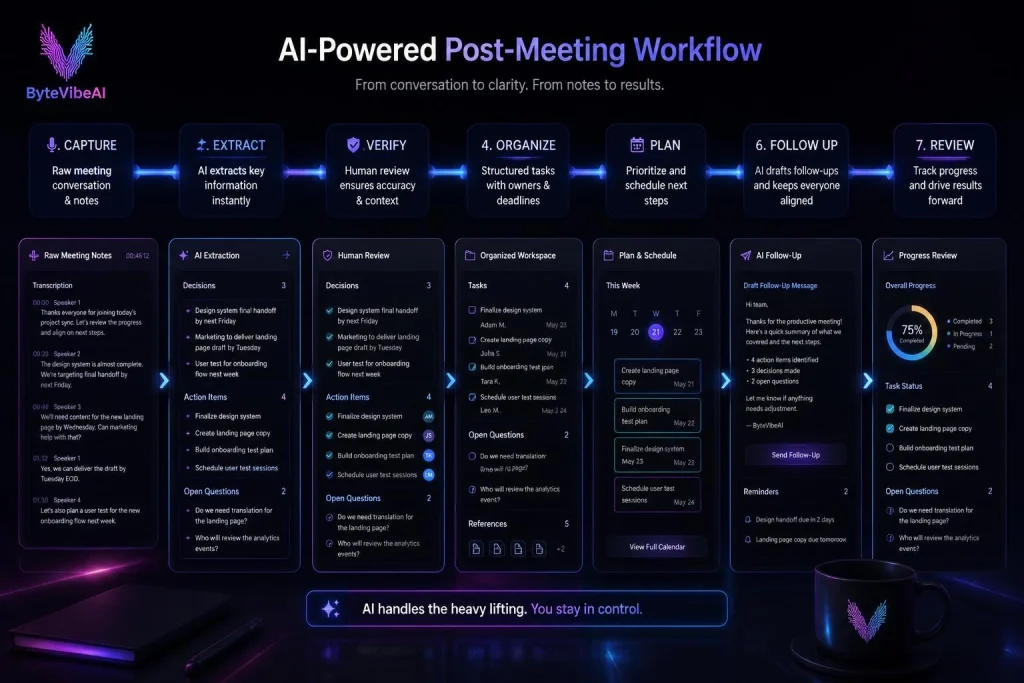
1. Capture
Save your raw meeting notes.
Don’t waste time making them perfect while the meeting is happening.
2. Extract
Give the notes to AI and ask it to identify:
- Decisions
- Tasks
- Owners
- Deadlines
- Questions
- Waiting items
- Follow-ups
3. Verify
Compare the AI output with your original notes.
Correct anything that is wrong or uncertain.
4. Organize
Separate the confirmed tasks by:
- Project
- Owner
- Priority
- Deadline
5. Plan
Move the tasks that actually need your attention into your daily or weekly task list.
6. Follow Up
Send clarification messages, request missing information, and prepare follow-up emails.
7. Review
At the end of the day or week, check what is completed and what is still waiting.
This gives you a simple cycle:
Capture → Extract → Verify → Organize → Plan → Follow Up → Review
A Final AI Prompt for Your Daily Meeting Review
“Review these meeting follow-up tasks and organize them into: completed, due soon, waiting for someone else, needs clarification, and upcoming. Do not change deadlines or create new ones. Highlight anything that is blocking progress and suggest which confirmed tasks should be handled first based on their stated deadlines and urgency.”
When You Shouldn’t Use AI
AI isn’t necessary for every meeting.
If you have a five-minute conversation with one clear decision, manually writing one task may be faster.
AI becomes more useful when:
- The meeting contains many action items
- Several people are involved
- Multiple projects are discussed
- Deadlines and dependencies need tracking
- You need a follow-up email
- You have messy or lengthy notes
- You need to combine notes from several meetings
The goal isn’t to use AI everywhere.
The goal is to use it where it removes repetitive organization work
Final Thoughts
Messy meeting notes are not necessarily a problem—the real problem is what happens after the meeting. When you Turn Messy Meeting Notes Into a Follow-Up Plan, you don’t need a complicated productivity system. You need a repeatable process that helps you move from conversation to action.
Call To Action
Want more practical AI writing tips, SEO strategies, and productivity guides?
Visit ByteVibeAI for beginner-friendly tutorials, detailed tool reviews, AI writing resources, and actionable guides designed to help bloggers, freelancers, marketers, and business owners create better content and grow their websites.